Most people are still typing three-word prompts and wondering why their face comes out looking like a stranger’s. The prompts below are long on purpose. Every line in them is doing a job — locking your identity, fixing the light, controlling the lens. Copy them, swap the details in brackets, and go.
1. Editorial Cover Portrait — the look that gets saved, not just liked
This is the single highest-performing style of 2026. Not a filter, not a cartoon — it looks like a real magazine shoot, which is exactly why the algorithm treats it as photography instead of AI content.
Edit the uploaded photo into an editorial magazine cover portrait.

IDENTITY: Keep the exact face from the reference image. Preserve the same facial bone structure, eye shape, nose, jawline, skin tone, natural skin texture, and visible pores. Do not slim or reshape the face. Do not smooth the skin. Do not change the eye color or facial proportions. Preserve the person's authentic identity exactly.

LIGHTING: Use a single large softbox positioned at 45 degrees camera-left. Add a subtle rim light along the right jawline with soft, natural shadow falloff across the neck.

WARDROBE: Charcoal wool blazer over a plain white T-shirt. Minimal, sophisticated styling. No jewellery or unnecessary accessories.

BACKGROUND: Seamless deep olive paper backdrop with a subtle natural vignette.

CAMERA: Shot at eye level using an 85mm portrait lens at f/2.0. Sharp focus on the near eye with realistic depth falloff and natural background separation.

FINISH: Neutral editorial color grading with slight warmth in the highlights. Add subtle fine photographic grain. Maintain realistic skin tones, authentic texture, and natural facial details.

STYLE: Premium editorial fashion magazine photography, sophisticated, cinematic, photorealistic, high-end professional portrait, realistic lighting, crisp details, natural depth of field.

IMPORTANT: No beauty filter, no face reshaping, no artificial skin smoothing, no plastic skin, no exaggerated retouching, no change to facial identity.
Why it works: the identity line is written as three separate refusals. One vague “keep my face” instruction gets ignored by most models — three specific prohibitions do not.
One tweak: change the backdrop colour and the blazer, and you have a fresh post. Same prompt, ten different covers.
Best on: Gemini’s image editing and Nano Banana style models, which hold facial identity better than pure text-to-image tools.
2. Retro Flash Night Portrait — the one that looks shot on a real camera
Direct-flash party photography came back hard this year. Harsh light, blown highlights, slight motion blur — the imperfections are the point. A clean AI image never goes viral now. A messy one does.
Convert the uploaded photo into a late-night direct-flash party portrait.

IDENTITY: Preserve the exact facial features, hairline and skin tone from the reference. Keep any moles, scars or freckles visible.

LIGHT: Hard on-camera flash straight at the subject, blown-out highlights on the forehead and nose, hard shadow thrown on the wall behind.

SET: Crowded [rooftop bar] at night, out-of-focus string lights and strangers in the background, deep black shadows.

CAMERA: 35mm compact camera, f/5.6, slight handheld tilt, minor motion blur at the edges of the frame.

FINISH: Cool shadows, warm skin, visible high-ISO noise, tiny chromatic fringing on the light sources. Looks like an unedited camera roll photo.
Why it works: you are telling the model to add flaws. Noise, tilt, blur and fringing are what separate a photo from a render.
One tweak: swap the set for a car park, a diner, or a wedding hall — the flash aesthetic works anywhere.
3. Parallel-Life Portrait — the storytelling angle nobody is milking yet
Same face, different life. You as a boat mechanic in Kerala, a jazz drummer in Prague, a baker at 5am. This is the format with the longest comment sections because people tag friends into the lives they’d pick.
Show the person from the reference photo living a different life.

IDENTITY: The face must stay instantly recognisable — same jawline, same eyebrows, same smile lines, same [round face and short dark curls]. Age them by [0] years, nothing more.

SCENE: They are a [second-generation boat mechanic] in [coastal Kerala], photographed [at the end of a work shift].

DETAIL: Grease on the hands, faded work shirt, tools resting on a wooden hull, monsoon light coming in sideways.

CAMERA: 50mm, f/2.8, candid documentary framing, subject not looking at the lens.

FINISH: Natural colour, no stylisation, looks like a photojournalism frame.
Why it works: the details in the environment carry the story, so the model spends less effort restyling the face — which means the likeness survives.
One tweak: run the same identity block across four different lives and post it as a carousel. Carousels outperform single images on this format every time.
4. Golden Hour Rooftop Portrait — the safest prompt on this list
If a phone selfie is all you have, this is the look that will still land. Warm, soft, forgiving, and it works on almost any source photo.
Restyle the uploaded selfie as a golden hour rooftop portrait.

IDENTITY: Keep the exact face, hair and body proportions from the reference image. No slimming, no jaw sharpening, no skin smoothing.

LIGHT: Low sun behind the subject creating a warm rim light through the hair, soft bounce fill on the face, long shadow across the floor.

SET: Open concrete rooftop, [city skyline] hazy in the distance, dust in the air catching the light.

CAMERA: 85mm, f/1.8, shot slightly below eye level, background compressed and softly blurred.

FINISH: Warm amber grade, gentle highlight bloom, natural contrast, light film grain.
Why it works: backlight hides source-image problems. Bad phone lighting, uneven skin, a busy background — the rim light and blur absorb all of it.
One tweak: change “golden hour” to “blue hour” and the skyline to neon signage for a completely different mood from the same skeleton.
5. Clay Figure Portrait — the shareable one
The 3D collectible look is still running strong, and it is the only prompt here where you want the face stylised rather than preserved.
Turn the person in the uploaded photo into a handmade clay collectible figure.

LIKENESS: Keep the recognisable features — [hairstyle, glasses, beard shape, outfit colours] — but simplify them into soft sculpted clay forms with slightly oversized head proportions.

MATERIAL: Matte polymer clay with visible thumbprints and tiny surface imperfections, hand-painted finish with small brush marks.

SET: Figure standing on a [wooden study desk] beside a keyboard and a coffee mug, everything else photographed real-world scale.

CAMERA: Macro lens, f/4, shallow depth of field, soft window light from the left.

FINISH: Product photography look, natural shadows, no plastic shine.
Why it works: the thumbprints and brush marks are the whole trick. Without them you get a generic 3D render; with them you get something people think is a real object.
The 4-block formula behind every prompt above
Once you see the pattern, you never need to copy a prompt again. Every strong AI portrait prompt in 2026 is built from four blocks in this order:
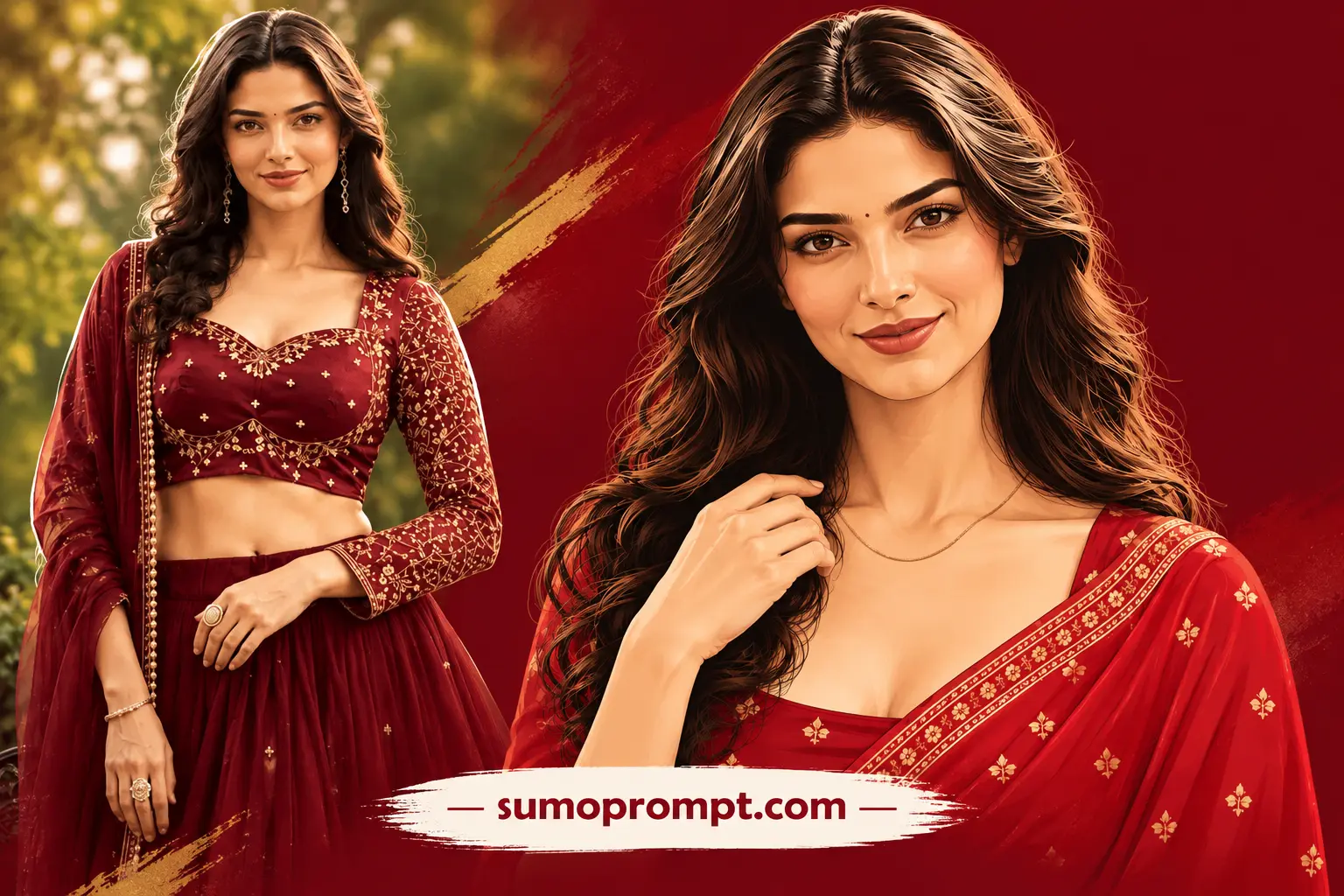
The subject is the woman in the attached reference photo. Recreate her exact facial identity from its features — the same hairline, hairstyle, volume and texture, brow shape, eye shape and spacing, nose structure, lip shape, jawline and cheek structure, skin tone, and natural facial proportions — so she is unmistakably the same person. The reference photo’s own lighting, background and clothing are entirely discarded.

CRIMSON SAREE EASE. A tonal crimson world: flat deep-crimson background, and she wears a brighter crimson saree with an elegant matching blouse, draped naturally in clean folds.

The single hook: total ease inside one colour — she stands relaxed with her head tilted a few degrees, a slow warm smile arriving, one hand lifted to rest lightly near her collar with fingers relaxed, a thin gold chain the only metal.

Her hair is drawn with fine strand linework and true shape. The crimson field stays flatter and softer than her face so the portrait leads.

CAMERA: Framing equivalent to an 85mm portrait, chest-up.

PALETTE: Deep crimson, bright crimson, gold.

STYLE: A premium flat vector illustration — not a photograph and not a 3D render. Smooth clean colour fields with soft cel shading, crisp confident edges, no gradients banding, no outlines except where the drawing needs them, and the hair drawn with fine flowing individual strand linework that carries real volume and movement.

The facial features survive the stylisation exactly — the same eyes, brows, nose, lips, jawline and proportions as the reference at all times — with the face carrying the most detail and the most careful shading in the whole image, softly dimensional against the flatter saree and background so it reads sharpest.

SAREE: Patterns are drawn as clean repeated motifs.

BACKGROUND: One perfectly flat colour with no texture and no scenery.

COMPOSITION: 4:5 ratio portrait composed for an Instagram story, WhatsApp status and profile picture. The face large and high in the frame, the tonal colour world unmistakable at a glance, and the composition still holding when cropped square.

IMPORTANT: No readable text anywhere — no words, no letters, no numbers, no logos, no brands.
- Identity lock — what must not change, written as explicit refusals. This is the block 90% of people skip, and it is the reason their edits look like someone else.
- Light — direction, quality, where the shadow falls. Naming one light source beats naming a mood.
- Wardrobe and set — concrete nouns only. “Charcoal wool blazer” works. “Stylish outfit” does not.
- Camera and finish — focal length, aperture, grain, grade. This is what makes the output read as a photograph instead of an illustration.
Write your own viral AI photo editing prompts in that order and your hit rate goes up immediately.
Why your result doesn’t look like the sample
- Your source photo is the problem, not the prompt. Front-facing, evenly lit, no heavy beauty filter, face taking up a decent part of the frame. A filtered selfie gives the model pre-distorted features to work from.
- You didn’t repeat the identity block. On follow-up edits, models drift. Paste the identity lines again in every regeneration.
- You asked for too many changes at once. Change the light and the set. Changing pose, outfit, background, age and expression in one go is where likeness dies.
- You used a text-to-image model for an editing job. Different tools, different results — see the table below.
- You accepted the first output. Three generations minimum. The good one is usually the second or third.
Which model for which look
| Look | Best fit | Why |
|---|---|---|
| Editorial cover | Gemini / Nano Banana class editors | Strongest face preservation from a reference |
| Retro flash | ChatGPT image editing | Handles messy, imperfect photography well |
| Parallel-life | Gemini / Nano Banana class editors | Holds identity across changing environments |
| Golden hour | Any current editor | Forgiving prompt, low failure rate |
| Clay figure | Midjourney or Seedream | Better material and texture rendering |
Posting these without looking like AI slop
Three things separate a viral AI portrait from a scroll-past:
- Post one, not nine. A feed of obvious AI edits kills reach faster than a single strong image ever builds it.
- Keep the grain. Every prompt above ends with a grain or noise instruction. Do not strip it out in post.
- Don’t hide it, don’t announce it. Captions that beg for prompt requests get ignored. Captions that mention the imagined story behind the image get comments.
FAQs: Viral AI Photo Editing Prompts
Do these prompts work on free tools? Yes. Every prompt here is plain text with no tool-specific syntax, so it runs on free tiers of the major image editors. Free tiers usually output at lower resolution and cap your daily generations.
How do I stop the AI from changing my face? Write the identity lock as refusals, not requests — no slimming, no smoothing, no changed eye colour — and paste it again on every regeneration. Naming one or two unique features (a scar, a mole, a specific hairline) helps a lot.
Can I use these edits commercially? Depends entirely on the tool’s licence, and the licences differ. Check the terms of the specific model you’re using before putting an output on a product or an ad.
Which one should a beginner start with? The golden hour rooftop prompt. It has the highest success rate on ordinary phone selfies and needs the least trial and error.