Your camera roll has forty photos from the same afternoon. Same outfit, same light, slightly different angles — and Instagram lets you post one. That’s the exact frustration the collage trend solves, and it’s why trending collage AI photo editing, Instagram trending collage AI photo editing, has quietly become the most-used prompt category of the year.
Here’s the part most guides skip though. A collage prompt isn’t one prompt — it’s four or five photographs generated inside a single image, and every one of them has to hold the same face. That’s where nearly everybody’s output falls apart. The frames come back looking like four different people who happen to be wearing the same shirt.
This guide is built around fixing that. Pick a layout first, use the matching ChatGPT photo editing prompt, ChatGPT photo editing prompt, and apply the pose-variation rules further down — that combination is what separates a clean collage from an obvious AI mess.
Instagram Trending Collage AI Photo Editing Prompts (2026)
| Detail | Information |
|---|---|
| Trend | Multi-frame collage photo edit |
| Tools | ChatGPT, Gemini (Nano Banana) or any image editor with reference input |
| Photos Needed | 1 to 4, depending on layout |
| Best Output Ratio | 4:5 vertical for feed, 9:16 for stories |
| Difficulty | Medium — identity consistency is the hard part |
| Time | 5–10 minutes including regenerations |
Pick your layout before you pick your prompt
This is the step everyone skips, and it’s why so many collages feel random. Each layout does a different job:
Main + side strip — one large portrait with three small frames down one side. Best all-rounder, and the most forgiving if your source photo is only average.
2×2 grid — four equal frames. Clean, symmetrical, works well when you genuinely have four different moments to show.
Polaroid scatter — overlapping instant-photo frames at slight angles. The most nostalgic option, and the easiest to make look printed rather than generated.
Film strip — a vertical or horizontal strip of sequential frames with sprocket holes. Best when your photos show movement or a sequence rather than separate moments.
Magazine cutout — torn paper edges, mixed frame sizes, handwritten scribbles. Busiest layout, so it needs your strongest single photo as the anchor.
Trending Photo Editing
Prompt 1:
Guide
Copy the prompt → Open ChatGPT → Paste → Upload your photo → Generate → Done ✅
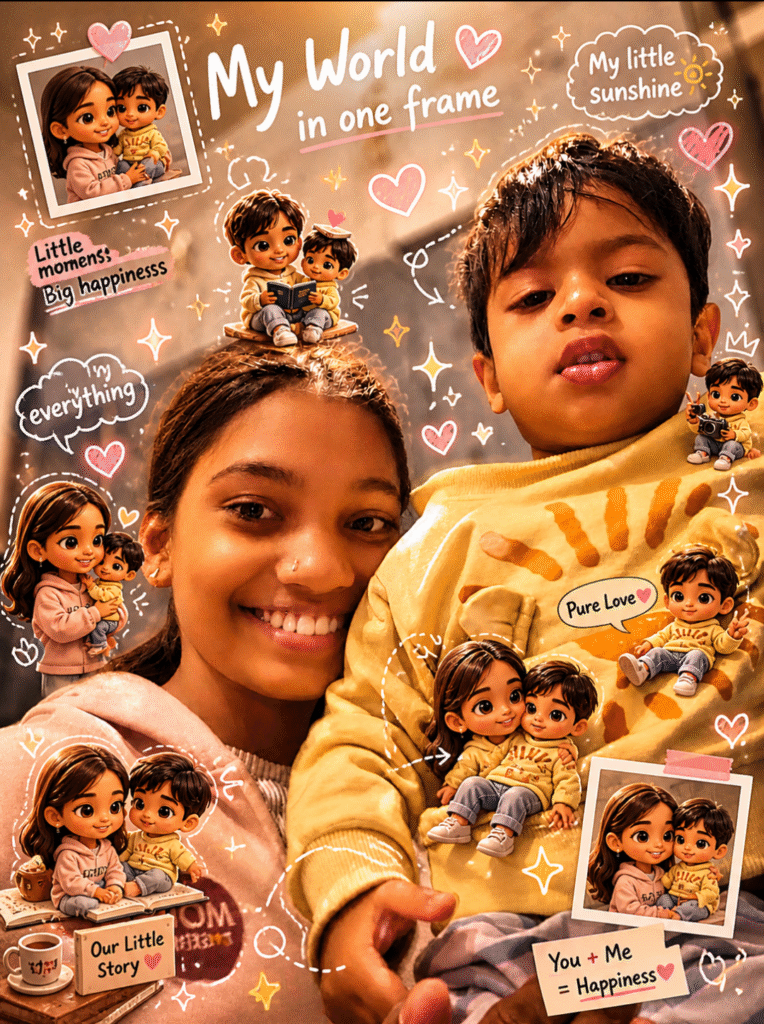
Transform the provided reference image into a cozy aesthetic scrapbook-style composition while strictly preserving the original subject, identity, facial features, pose, lighting, camera perspective, and background. The final result must look like the SAME original photo enhanced creatively, not a recreated or completely different scene.

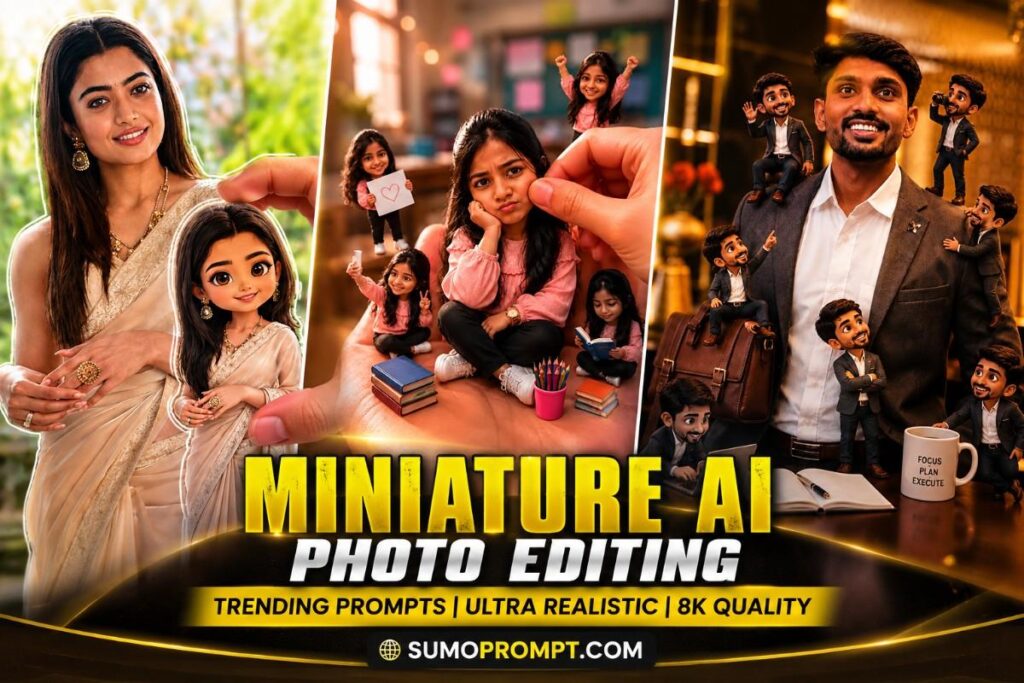
Add multiple small “mini version” characters of the same person in cute chibi / doll-like style, naturally placed around the existing scene — sitting on objects, table edges, shoulder, nearby surfaces, or interacting with elements of the environment. Each mini alter-ego must consistently match the original subject’s face, hairstyle, outfit, colors, personality, and overall vibe. Style these mini characters as adorable, highly detailed 3D collectible figurines with polished textures and realistic soft shadows.

Show the mini versions doing different cute activities such as reading a small book, posing for the camera, taking photos, relaxing, sitting casually, or interacting playfully with the surroundings. Make their placement feel natural and believable within the original photograph.

Overlay aesthetic handwritten-style doodles and annotations throughout the image, including arrows, hearts, stars, sparkles, tiny icons, circles, underlines, and playful handwritten captions connected naturally to different elements of the scene. Keep the annotations charming and visually integrated without covering the main subject.

Use a soft pastel color palette with a clean white base and subtle pink, peach, baby blue, and pastel accent tones. Keep the composition visually rich and filled with creative details while maintaining a balanced, organized, clean appearance.

Style: warm cozy lighting, dreamy Instagram scrapbook aesthetic, soft depth of field, delicate pastel details, polished 3D mini figurines, realistic textures, playful editorial composition, premium lifestyle photography, highly detailed, charming and creative visual storytelling.

Maintain the original image composition, subject identity, pose, lighting, background, perspective, and overall realism. Only enhance the original scene with the mini alter-egos, scrapbook decorations, doodles, and aesthetic annotations.

Negative prompt: changed face, different identity, altered pose, recreated background, new scene, distorted facial features, inconsistent mini characters, different hairstyle, wrong outfit, bad anatomy, extra limbs, deformed hands, oversized mini figures, unrealistic shadows, messy doodles, excessive text, cluttered composition, harsh colors, oversaturation, low resolution, blurry details, plastic-looking main subject, cartoonized main photo, artificial lighting, watermark, logo.
Prompt 2: Cutest Trend
Guide
Copy the prompt → Open ChatGPT → Paste → Upload your photo → Generate → Done ✅
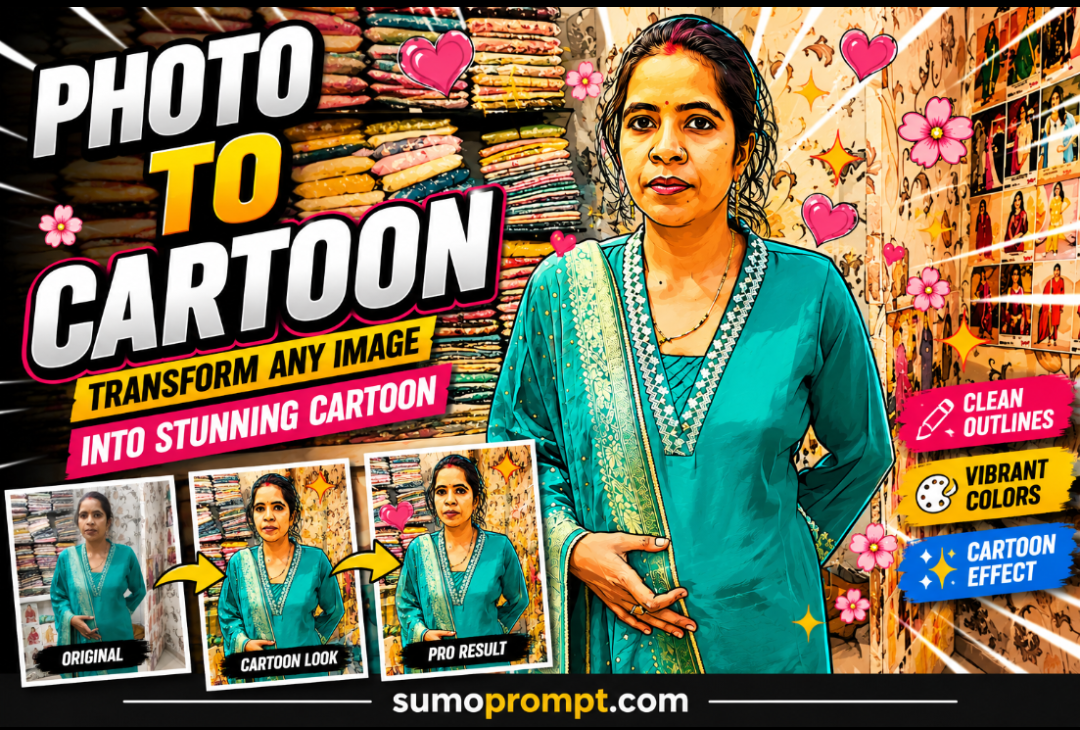
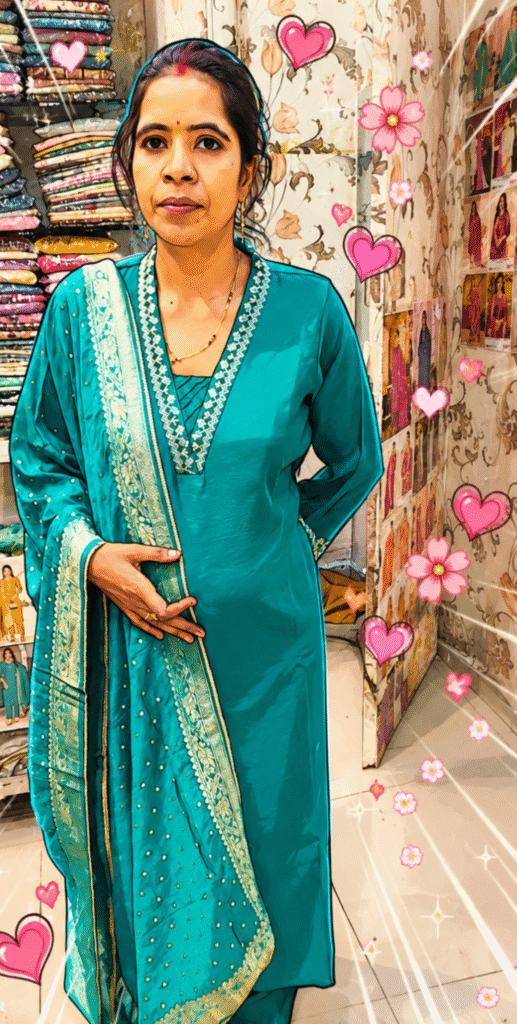
Transform the provided reference image into a clearly visible, polished cartoon-style illustration while strictly preserving the original facial structure, recognizable identity, pose, body proportions, composition, camera perspective, and real background.

Apply clean, defined vector-style outlines around the facial features, hair, clothing, and important subject details. Keep the face recognizable and naturally structured while giving the skin a smooth illustrated finish. Replace realistic photographic textures with simplified cartoon shading using gentle color blocks, soft gradients, and clean tonal transitions.

Keep the original background completely intact without removing, replacing, or recreating it. Enhance the existing background with pop-art inspired radiating lines, dynamic motion strokes, subtle layered energy effects, and decorative graphic elements positioned naturally behind the subject. Make sure these effects complement the original environment rather than covering or changing it.

Add cute pink hearts, small floral elements, tiny sparkles, and playful decorative details flowing naturally around the subject. Keep the decorations balanced so the main subject remains the clear focal point.

Use vibrant yet balanced colors derived from the original photograph, crisp edges, smooth vector-style rendering, clean contours, soft illustrated shading, polished cartoon detailing, expressive but natural facial features, and a premium modern cartoon aesthetic.

Final result should look like the SAME original photo transformed into a high-quality cartoon illustration, with the original background clearly recognizable and preserved, enhanced only with tasteful pop-art graphics, hearts, flowers, and energy effects.

Negative prompt: changed face, different identity, altered facial structure, changed pose, distorted proportions, replaced background, removed background, completely new scene, excessive cartoon distortion, messy outlines, jagged edges, harsh shading, flat lifeless colors, over-saturated colors, excessive effects covering the subject, blurry details, bad anatomy, extra fingers, deformed hands, unrealistic facial features, low resolution, watermark, logo, unwanted text.
Prompt 3: POSE 1-5
Guide
Copy the prompt → Open ChatGPT → Paste → Upload your photo → Generate → Done ✅
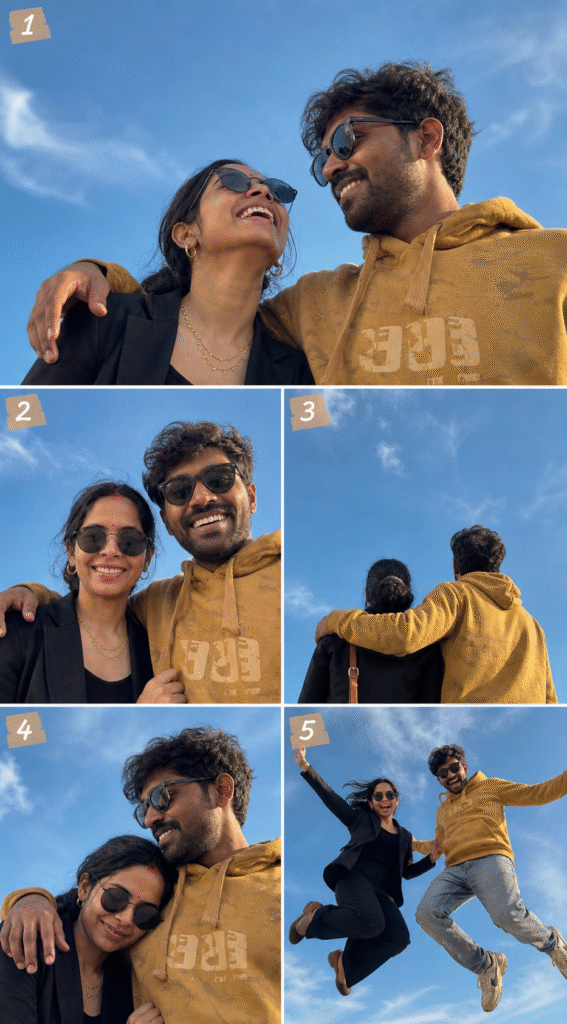
POSE 1 — ORIGINAL: HE LOOKS AT HER / SHE LOOKS UP

Create an ultra-realistic cinematic couple photograph from a dramatic low-angle perspective with a clear blue sky dominating the background. The man has his arm naturally around the woman’s shoulder and looks toward her while laughing warmly. The woman looks upward toward the open sky with a joyful laugh. Both subjects are wearing stylish sunglasses.

Preserve both subjects’ natural facial identity, facial features, hairstyles, skin tones, body proportions, outfits, and authentic expressions. Keep the composition natural, candid, romantic, and editorial. Bright blue sky fills most of the frame with realistic daylight, soft shadows, detailed skin texture, DSLR quality, cinematic color grading, sharp subject focus, and Ultra HD 8K detail.

━━━━━━━━━━━━━━━━━━━━━━━━━

POSE 2 — BOTH LOOKING AT CAMERA, SMILING

Create the same low-angle blue-sky composition with both subjects facing directly toward the camera lens. Both are smiling confidently — the man with a wide natural toothy laugh and the woman with a bright warm smile. His arm remains casually around her shoulder while her hand rests naturally on his arm. Both continue wearing sunglasses.

Maintain the same outfits, facial identity, hairstyles, body proportions, and overall visual style. Keep the blue sky clearly visible behind them, creating a bold, confident, direct-to-camera travel couple portrait. Use natural daylight, realistic skin texture, cinematic contrast, DSLR photography quality, professional composition, and Ultra HD 8K resolution.

━━━━━━━━━━━━━━━━━━━━━━━━━

POSE 3 — BACK TO CAMERA, FACING THE SKY

Show both subjects from behind in the same cinematic low-angle composition, with the camera positioned behind them and pointed upward toward the open blue sky. The man has his arm naturally around the woman’s shoulder and both subjects face the expansive sky ahead.

Keep the woman’s sling bag clearly visible on her side and preserve the man’s curly hairstyle as seen from behind. The sky should occupy approximately 70% of the frame, creating a highly editorial, abstract, spacious, and visually striking composition.

Maintain realistic clothing textures, natural body proportions, authentic posture, cinematic daylight, subtle shadows, realistic environmental details, DSLR quality, premium travel photography aesthetic, and Ultra HD 8K detail.

━━━━━━━━━━━━━━━━━━━━━━━━━

POSE 4 — SHE LEANS HER HEAD ON HIS SHOULDER

Create the same low-angle blue-sky composition with the woman gently leaning her head sideways onto the man’s left shoulder. Her eyes are closed or looking slightly downward with a peaceful, content smile. The man looks down toward her hair with a soft, warm smile while keeping his arm comfortably around her shoulder.

Both subjects continue wearing sunglasses. Preserve their exact facial identities, hairstyles, outfits, proportions, and natural appearance. The mood should feel intimate, warm, genuine, and emotionally connected without looking staged.

Use soft natural daylight, realistic skin tones, subtle shadows, cinematic depth, beautiful blue sky, professional DSLR photography, natural expressions, premium travel couple aesthetic, and Ultra HD 8K resolution.

━━━━━━━━━━━━━━━━━━━━━━━━━

POSE 5 — JUMPING / MID-AIR

Create a cinematic travel couple action photograph with both subjects captured simultaneously in mid-air, with both feet completely off the ground. Their bodies are naturally lifted while their arms are slightly raised or spread, creating a spontaneous and energetic travel moment.

Both subjects are laughing with full open joy and genuine excitement. Use a dramatic low-angle perspective so the blue sky becomes even more dominant in the composition. Capture the feeling of a classic travel couple jump photograph but make it cinematic, realistic, dynamic, and natural rather than stiff or posed.

Freeze the important subject details while allowing subtle environmental motion energy. Preserve facial identity, hairstyles, outfits, body proportions, and natural expressions. Use realistic sunlight, natural shadows, detailed clothing movement, professional sports/travel photography quality, cinematic color grading, sharp subject details, and Ultra HD 8K resolution.

GLOBAL STYLE:
Ultra-realistic professional DSLR photography, cinematic low-angle composition, natural couple chemistry, realistic skin texture, authentic expressions, detailed clothing, beautiful blue sky, natural sunlight, realistic shadows, premium travel editorial aesthetic, Instagram-worthy composition, high dynamic range, rich but natural color grading, photorealistic details, Ultra HD 8K.

Negative prompt: changed identity, different faces, altered facial features, unrealistic expressions, distorted anatomy, bad hands, extra fingers, extra limbs, unnatural body proportions, stiff poses, duplicate subjects, incorrect sunglasses, changed hairstyle, changed outfits, blurry faces, excessive motion blur, fake skin, plastic appearance, unrealistic shadows, distorted sky, overexposure, oversaturation, artificial lighting, low resolution, cartoon effect, watermark, logo, unwanted text.
The same-face-different-pose problem
This is the actual skill in collage prompting, and it’s where almost every bad output comes from. The model has to generate four new photographs of a person it has only seen once, and its instinct is to average toward a generic face on each attempt.
Four things reliably fix it:
Write identity as refusals, not requests. “Keep the face the same” gets ignored. “Do not slim the face, do not smooth the skin, do not change the hairstyle” gets followed. Notice that every prompt above is written that way.
Lock outfit and location explicitly. If the clothes and background change between frames, viewers read it as four different people even when the face is right. One line — same outfit, same location, same lighting — fixes most of it.
Specify each pose separately. Left to itself the model gives you four near-identical frames, which defeats the point of a collage. Name each frame’s angle and expression individually, as in the prompts above.
Change poses, never expressions of identity. Angle, gaze direction and hand position are safe to vary. Age, face shape and hairstyle are not — the moment you let those move, the collage breaks.
FAQs – Instagram Collage AI Photo Editing
Q1. What is Instagram collage AI photo editing?
Ans. Instagram collage AI photo editing is a method of combining multiple images into one creative layout using AI tools. With the help of prompts, AI automatically designs aesthetic, high-quality collage images with professional effects.
Q2. Which AI tools are best for collage photo editing?
Ans. Popular tools include ChatGPT (for prompts), Google Gemini, Leonardo AI, and Bing Image Creator. These platforms allow you to generate and edit collage photos easily without advanced skills.
Q3. How can I create aesthetic collage photos using AI?
Ans. You can create aesthetic collage photos by using detailed prompts that include lighting, background, style, and composition. Adding keywords like cinematic lighting, 8K resolution, and ultra-realistic improves output quality.
Q4. Are AI collage photo editing tools free?
Ans. Yes, many AI tools offer free versions with limited usage. You can create high-quality collage images without spending money by using free plans effectively.
Q5. Why are AI collage photos trending on Instagram?
Ans. AI collage photos are trending because they look unique, creative, and visually appealing. They help users stand out, increase engagement, and create a strong personal brand on Instagram.
Summary
Instagram collage AI photo editing is transforming how people create and share visual content in 2026. With the help of powerful AI tools and well-crafted prompts, anyone can design aesthetic, high-quality, and professional collage images without any editing experience. The key to success lies in using detailed prompts, proper lighting descriptions, and cinematic elements to achieve the best results.
As social media becomes more competitive, users are shifting toward AI-powered creativity to stand out and attract attention. Collage-style images not only enhance visual appeal but also help in storytelling and branding. By following the techniques, prompts, and tips shared in this guide, you can easily create viral Instagram-ready collage photos.
Also Read: Kehdo Jo Tum Ek Baar Song Reels VN Template Code | Aalas Ka Pedh Choo Lo VN Code

Pingback: Trending Prompts for Instagram for Girl – 4 Amazing Viral AI Photo Prompts - Sumo Prompt
Pingback: Gemini Trending Photo Prompt For Baby (2026 Ultra HD AI Photo Editing) - Sumo Prompt