Realistic Couple Selfie Prompts 2026: Couple selfie prompts have become one of the most reused AI photo trends this year, but most guides make the same mistake — they hand you a wall of prompts without explaining why certain phrases matter more than others. That’s exactly where results tend to fall apart: people copy a prompt, get a distorted face, and assume the tool just doesn’t work well. This guide gives you ready-to-use prompts across the most popular styles, plus the reasoning behind the instructions that actually keep faces looking like you rather than a generic AI-generated couple.
Why Most Couple Selfie Prompts Fail on the First Try
Before the prompts themselves, it helps to understand the one thing separating a convincing result from an obviously fake one: identity preservation instructions. AI image tools default to “beautifying” faces unless explicitly told not to — smoothing skin, adjusting proportions, softening features. That’s great for a generic portrait, but it’s exactly what makes a couple selfie stop looking like the actual two people in your reference photos. Every prompt below is built around locking that identity down first, then adding scene details second.
Copy-Paste Ready Prompts
1. Golden Hour Seaside Selfie
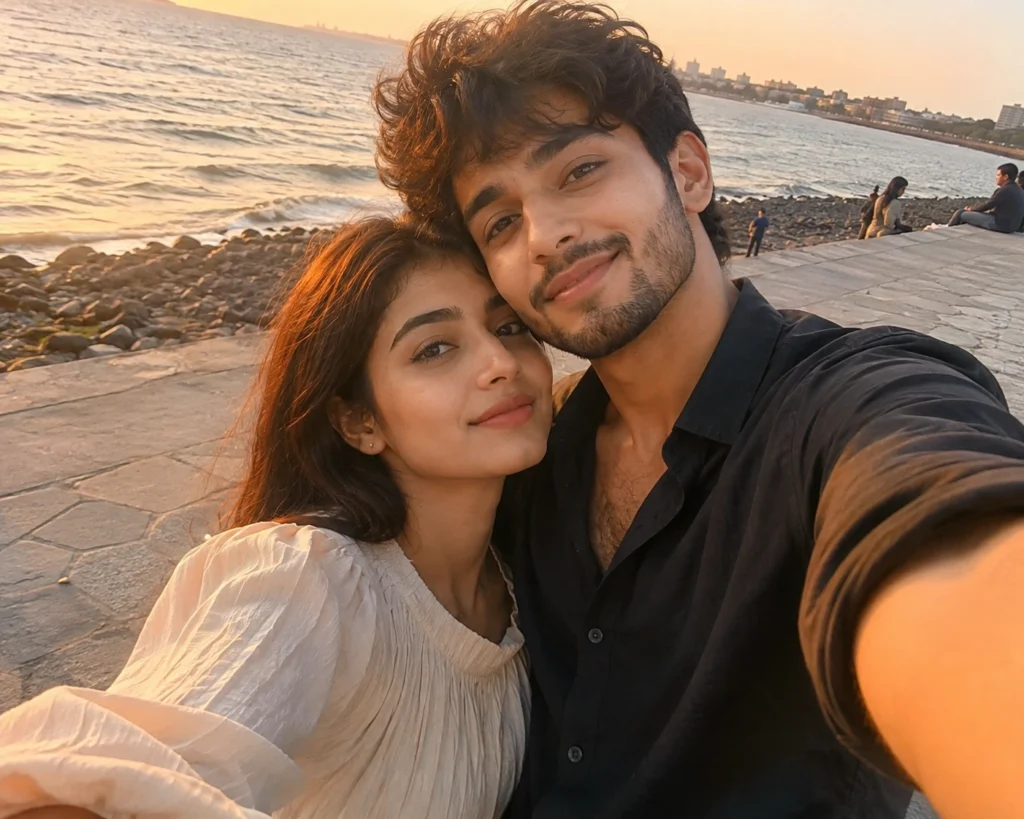
Copy prompt
*"Using the uploaded photos as the strict facial reference for both people, generate a realistic couple selfie taken near the sea during golden hour. Preserve exact face shape, skin tone, and natural expressions for both — no beautification, no reshaping. They're sitting close together on a stone pathway, warm sunset lighting, soft natural shadows, genuine candid smiles, slight breeze in the hair. Phone-camera quality, not studio-polished."*
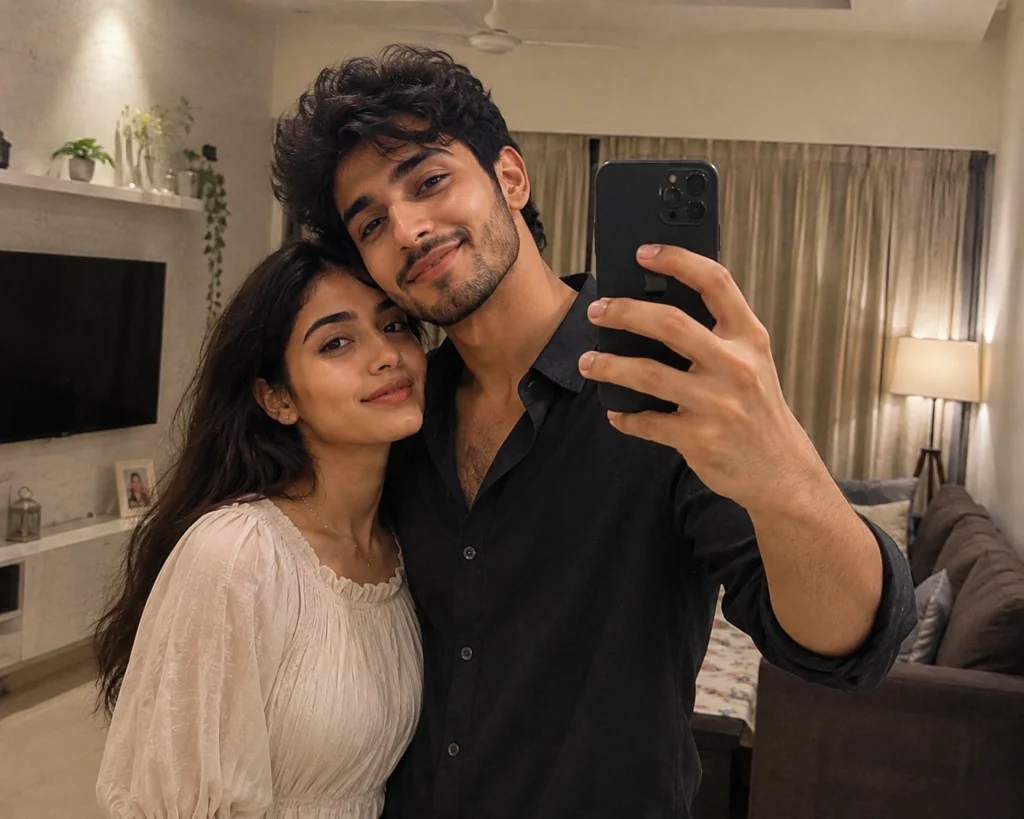
2. Mirror Selfie, Indoor Warm Light
Copy prompt
Using the uploaded photos as the only identity reference, create a realistic mirror selfie of the couple standing side by side in a modern living room.

IDENTITY: Keep both faces exactly as shown in the reference images — same face shape, facial proportions, skin tone, natural skin texture, hairline, hairstyle, eye shape, nose structure, lips, jawline and other distinctive facial details. Both people must remain instantly recognisable. No face reshaping, no slimming, no beautification, no artificial skin smoothing.

POSE: The couple is standing naturally side by side in front of a large mirror, with relaxed and affectionate body language. Keep the pose candid and comfortable, as if they casually took the photo together. Natural expressions with subtle genuine smiles.

SCENE: A stylish modern living room with tasteful contemporary furniture, a clean interior, soft neutral surroundings and realistic everyday details. The environment should feel lived-in but uncluttered.

LIGHTING: Warm indoor ambient lighting mixed with soft practical room lights. Natural highlights on the faces, gentle shadows, realistic reflections in the mirror and subtle falloff throughout the room.

CAMERA: Realistic smartphone mirror-selfie perspective, handheld framing, natural phone-camera lens distortion and slightly imperfect composition. The phone may be visible naturally in the mirror reflection. Maintain realistic proportions and perspective.

WARDROBE: Keep the clothing natural, stylish and believable, with coordinated casual outfits suitable for a relaxed evening at home. Avoid excessive accessories or distracting elements.

TEXTURE & DETAIL: Preserve authentic skin texture, individual hair strands, realistic fabric texture and natural facial details. Avoid overly polished or artificial rendering.

STYLE: Premium realistic lifestyle photography with an authentic candid feeling. Natural colors, realistic contrast, subtle depth, believable reflections and true-to-life proportions.

FINISH: Photorealistic phone-camera quality, warm and intimate atmosphere, slightly imperfect like a genuine personal photo. No studio look, no beauty filter, no plastic skin, no exaggerated HDR, no artificial sharpening, no cinematic over-processing.

IMPORTANT: Do not alter either person's identity or facial proportions. Do not merge or mix facial features between the two people. Keep both individuals clearly distinct and faithful to their respective reference photos. No visible filter, no watermark, no logo and no readable text anywhere in the image.
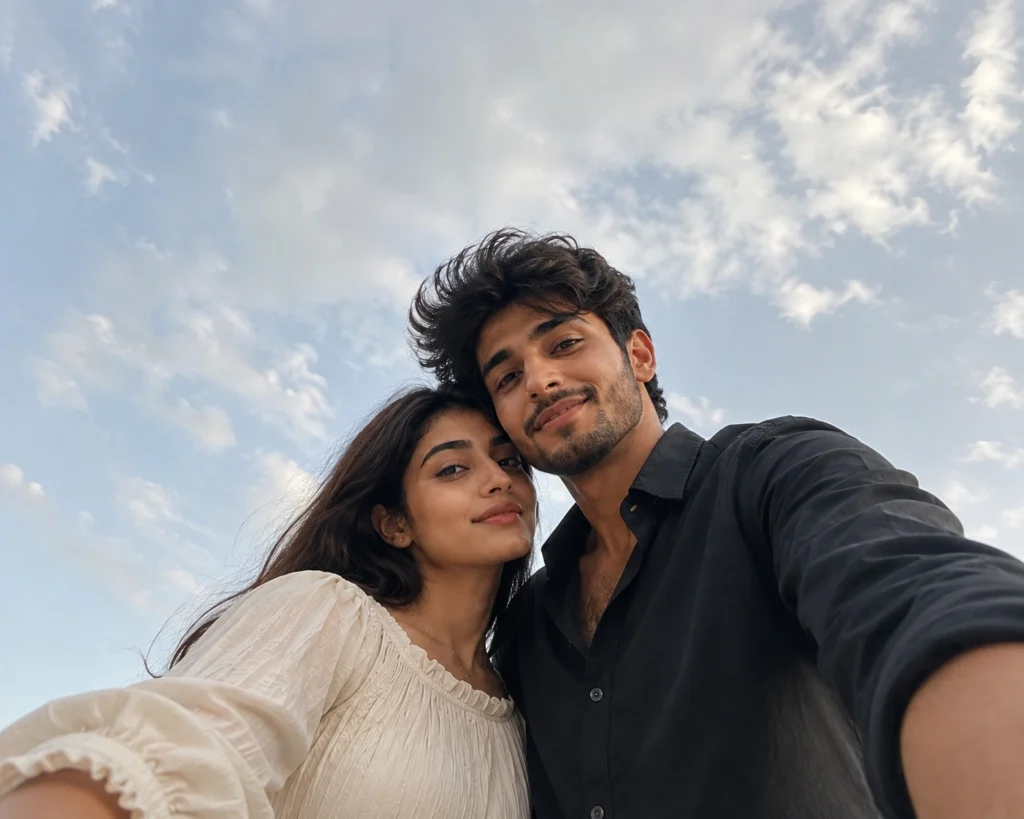
3. Lockscreen-Style Low Angle
Copy prompt
Using the uploaded photos as strict identity references for both people, generate a realistic low-angle selfie as if the phone is resting just below them and pointing upward.

IDENTITY: Preserve both people's exact facial identities from their respective reference photos. Keep the same face shape, facial proportions, skin tone, natural skin texture, hairline, hairstyle, eyebrows, eyes, nose, lips, jawline and distinctive facial features. Both individuals must remain instantly recognisable. Do not merge, mix or alter their facial features.

CAMERA ANGLE: The smartphone is positioned just below the subjects, creating a natural low-angle perspective looking slightly upward. The viewpoint should feel like a genuine handheld phone selfie rather than a professionally staged photograph.

FRAMING: Wide-angle framing with both people's upper bodies clearly visible. No zoom, no artificial crop and no portrait-mode blur. Leave generous natural empty space above their heads for a potential lock-screen text overlay while keeping both faces clearly visible.

POSE & EXPRESSION: Keep the couple relaxed and naturally positioned close together. Candid, unposed expressions with subtle genuine smiles or neutral relaxed expressions. Avoid exaggerated posing, forced smiles or overly polished body language.

LIGHTING: Natural daytime daylight under soft cloud cover. Use gentle, diffused illumination across their faces with soft realistic shadows and no harsh artificial highlights. Maintain believable outdoor ambient light.

ENVIRONMENT: A realistic everyday outdoor setting with subtle natural background details. Keep the background visually simple enough that the faces remain the main focus, while maintaining authentic depth and perspective.

CAMERA QUALITY: Realistic modern smartphone camera quality with natural lens characteristics, slight wide-angle perspective and believable exposure. Preserve subtle imperfections that make it feel like an actual phone photograph.

DEPTH OF FIELD: Keep the entire upper-body composition naturally in focus. No artificial portrait blur, no excessive bokeh and no fake depth effects.

SKIN & DETAIL: Preserve authentic skin texture, fine facial details and individual hair strands. No beauty filter, no skin smoothing, no plastic-looking skin, no excessive sharpening and no artificial facial retouching.

COLOR & FINISH: Natural daylight color grading with realistic skin tones, balanced contrast and subtle highlights. Avoid cinematic color grading or an overly processed appearance.

COMPOSITION: Maintain comfortable spacing between both people, keep their faces prominent and ensure the empty space above their heads remains clean and usable for lock-screen text placement.

IMPORTANT: Photorealistic, candid smartphone selfie aesthetic. No studio lighting, no portrait blur, no face reshaping, no beautification, no artificial skin smoothing, no exaggerated HDR, no unrealistic proportions, no watermark, no logo and no readable text in the image.
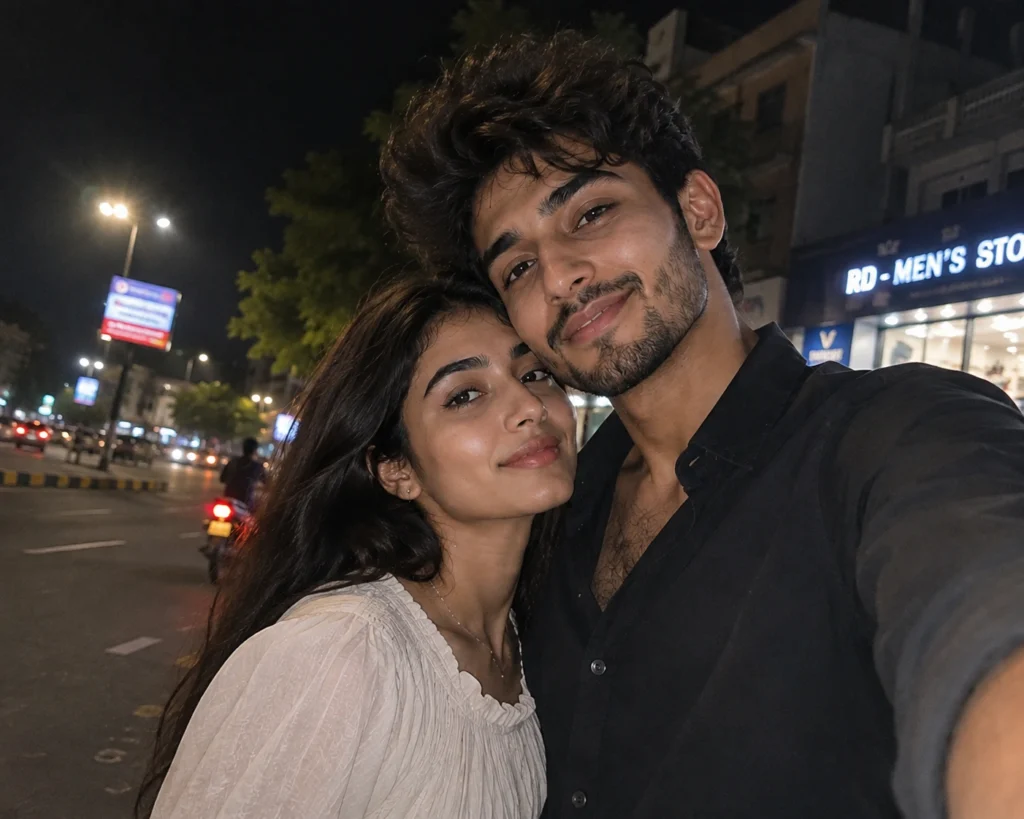
4. Night Street Flash Selfie
Copy prompt
Using the uploaded photos as the only face reference, create a realistic low-light selfie of the couple standing close together on a city street at night.

IDENTITY: Preserve both people's exact facial identities from their respective reference photos. Keep the same face shape, facial proportions, skin tone, natural skin texture, hairline, hairstyle, eyebrows, eyes, nose, lips, jawline and distinctive facial features. Both people must remain instantly recognisable. Do not merge, mix or alter their facial features.

POSE & EXPRESSION: The couple is standing naturally close together on a nighttime city street. Keep their body language relaxed and affectionate, with genuine candid expressions. Avoid forced smiles, exaggerated posing or overly polished expressions.

LIGHTING: Use a direct on-camera flash photography look. The flash should illuminate the faces clearly while creating realistic hard shadows and natural falloff into the darker surroundings. Preserve the atmosphere of the nighttime environment rather than making the entire scene artificially bright.

ENVIRONMENT: A believable urban street at night with subtle city lights, storefront illumination and distant background activity. Keep background elements naturally out of focus without creating artificial portrait-mode blur.

CAMERA: Authentic smartphone selfie perspective with handheld framing. Slight wide-angle characteristics, realistic perspective and natural imperfections. The image should feel like an actual spontaneous phone-camera photograph.

MOTION: Add very subtle motion blur around the edges of the frame and background, while keeping the faces sufficiently sharp and recognisable. Avoid excessive blur.

IMAGE QUALITY: Authentic phone-camera grain and visible high-ISO noise appropriate for a low-light nighttime photograph. Preserve realistic skin texture and small natural imperfections.

COLOR & FINISH: Natural nighttime colors with slightly cool ambient shadows and realistic warm highlights from nearby street lights. Maintain believable exposure, contrast and skin tones. No cinematic over-processing.

IMPORTANT: No beautification, no face reshaping, no skin smoothing, no plastic skin, no artificial facial enhancement, no exaggerated HDR, no unrealistic proportions, no studio look, no fake bokeh, no watermark, no logo and no readable text anywhere in the image.

FINAL LOOK: Photorealistic, candid, imperfect and authentic — like a genuine late-night phone selfie captured spontaneously on a city street.
Why These Specific Instructions Matter
- “Strict facial reference” / “only identity reference” tells the model not to blend in generic facial features, which is the single biggest cause of a couple selfie looking like strangers rather than the actual people.
- “No beautification, no reshaping, no smoothing” directly counters the AI’s default tendency to “improve” faces — without this, skin often turns plastic-smooth and proportions shift slightly.
- “Phone-camera quality” / “no visible filter” pulls the result away from an overly polished, obviously-AI look and back toward something that could pass as an actual selfie.
- Describing lighting direction and source (golden hour, indoor warm light, flash) matters more than people expect — mismatched lighting between the described scene and the reference photo is a common reason results look subtly “off.”
How to Use These Prompts Step by Step
- Choose clear, front-facing, well-lit photos of both people — blurry or angled references are the top cause of distorted results.
- Open ChatGPT or Gemini and upload both reference photos.
- Paste your chosen prompt, adjusting outfit or setting details as needed.
- Generate the image, and regenerate 2-4 times if either face doesn’t match closely enough — this is normal, not a sign of a bad prompt.
- Compare versions side by side and pick the one where both faces are most accurate before settling on outfit or background details.
Common Mistakes to Avoid
- Skipping the identity-lock instruction entirely. This is the single most common reason results look like a different couple.
- Using a blurry or heavily angled reference photo. Clear, front-facing photos give the AI far more to work with.
- Overloading one prompt with too many style elements. Mixing cinematic lighting, flash photography, and studio polish in one request tends to confuse the output.
- Accepting the first result. Portrait-accuracy prompts almost always need a few regenerations before both faces land correctly.
Frequently Asked Questions
Q1. Which AI tool works best for these prompts?
Both ChatGPT and Gemini handle these well, though results can vary — trying the same prompt on both if one doesn’t work is worth it.
Q2. Why does one person’s face look accurate but not the other’s?
This usually means one reference photo was clearer than the other. Using two equally sharp, well-lit photos improves consistency across both faces.
Q3. Do I need a paid subscription for these prompts?
No, free-tier access to ChatGPT or Gemini is enough for all of these.
Q4. How many attempts does it typically take?
Most people land on an accurate result within 3-5 generations.
Q5. Can I use these prompts for a friend pair instead of a couple?
Yes, just adjust the wording from “couple” to “friends” and remove any romantic posing details.
Conclusion
The difference between a couple selfie prompt that works and one that doesn’t almost never comes down to the scene description — it comes down to whether the identity-lock instructions are there at all. Start with clear reference photos, keep the “no beautification, strict facial reference” language in every prompt, and you’ll get results that actually look like the two people in your photos, not a generic AI couple.
Also Read: Aryan Kelvin Viral Editing Reel VN QR Code Template 2026