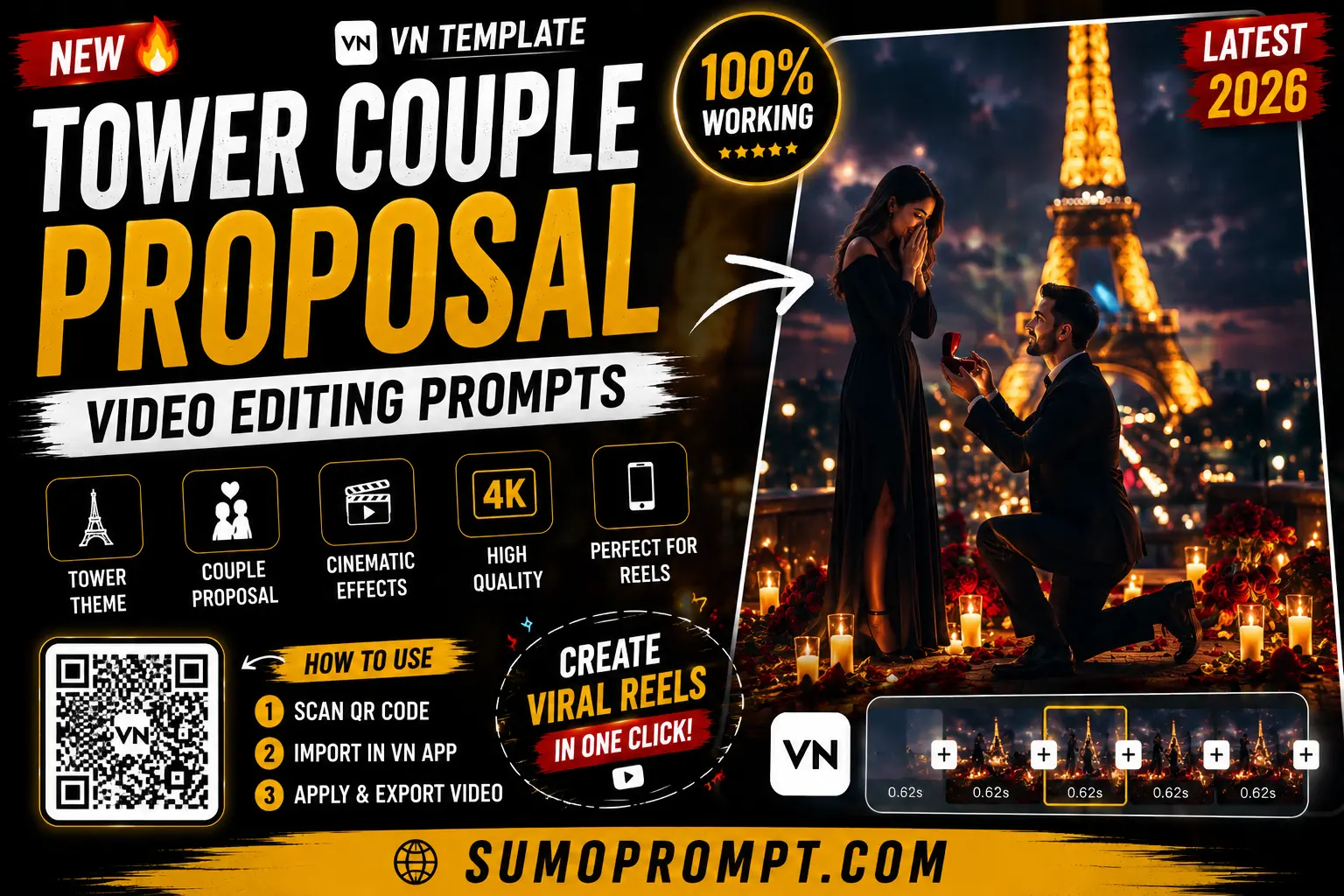
You’ve probably seen it by now — the couple standing at the very top of a skyscraper, a flag waving in the wind, a proposal happening thousands of feet above a city. It Tower Couple Proposal Video Editing Prompts started with a real Russian couple who climbed the Empire State Building and got engaged more than 1,400 feet up, and the internet lost its mind over it. The good news? You don’t need to risk your life to recreate that shot. With the right tower couple proposal video editing prompts, you can turn a normal photo of you and your partner into that same jaw-dropping cinematic moment — safely, from your couch. Here’s exactly how.
Why This Trend Went Viral
The original moment worked because it combined two things people can’t scroll past: a huge romantic gesture and a terrifying, death-defying stunt. That mix of love and vertigo is pure viral fuel. Naturally, everyone wanted their own version — minus the climbing, the danger, and the very real legal trouble.
That’s where AI stepped in. The viral couple tower trend lets anyone generate a photorealistic “top of the skyscraper” proposal using just a selfie and a detailed prompt. No heights, no ropes, no risk — just a cinematic frame that looks like it belongs in a movie.
How the Process Works (Two Simple Steps)
This trend has two parts, and understanding that is the key to nailing it:
- Generate the photo first using an AI image model (ChatGPT or Gemini) with a face-preserving prompt.
- Animate that photo into a video using an image-to-video tool like Flow AI, Kling, or similar.
Skip either step and it falls flat. Do both, and you get a scroll-stopping reel. Let’s go through each.
Step 1: The Tower Proposal Image Prompt (Copy & Paste)
Upload a clear photo of you and your partner, then paste this prompt into ChatGPT or Gemini. It’s written to lock both faces and build the dramatic tower scene around you:
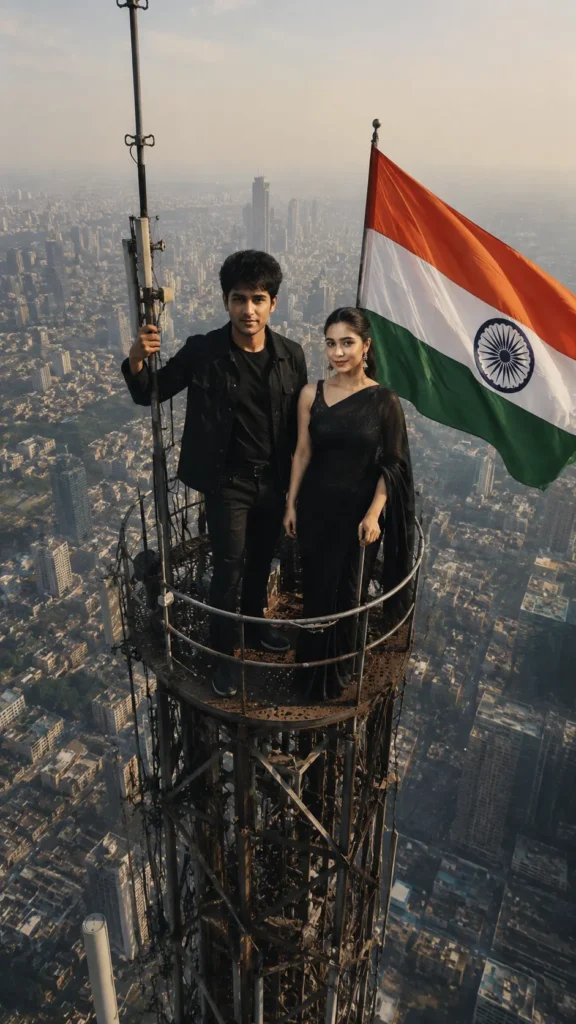
Tower Proposal Image Prompt
Use the uploaded photo strictly as the facial reference for both people. Preserve both faces with maximum accuracy, keeping the same facial features, face shape, skin tone, natural expressions, and identity. Do not beautify, reshape, smooth, or alter their faces.

Create an ultra-realistic vertical 9:16 cinematic drone-style photograph of the couple standing together on the small top platform of an extremely tall steel communication tower, far above a vast modern city skyline.

The extreme height should be clearly visible, with the enormous city far below softened by atmospheric haze, creating a powerful sense of scale, depth, vertigo, and breathtaking height. The man stands confidently in a stylish all-black outfit, with one hand firmly gripping the antenna pole. The woman stands naturally beside him in an elegant black outfit, looking calm and graceful.

A large flag waves dramatically beside them in the strong high-altitude wind. Add realistic fabric movement, subtle hair movement, detailed steel lattice structures, antenna components, cables, bolts, and metal textures.

Use warm natural daylight with cinematic shadows, realistic atmospheric perspective, telephoto lens compression, documentary-style realism, highly detailed textures, natural skin rendering, realistic proportions, and authentic environmental lighting.

Professional DSLR photography, cinematic composition, ultra-detailed 8K resolution, HDR, sharp subjects, realistic depth, dramatic scale, premium Instagram aesthetic, photorealistic finish.

No extra people, no duplicate subjects, no distorted faces, no altered identity, no artificial beauty filter, no unrealistic body proportions, no extra limbs or fingers, no cartoon effect, no watermark, no logo, no text.
Pro tip: put your own text on the flag
Here’s a clever touch most people miss — you can add custom text to that waving flag. Just add this line to the prompt: “The flag displays bold, centered, readable white text that says [YOUR TEXT].” Couples use it for names or a proposal line; creators use it to put their brand or handle right in the frame. It’s a small detail that makes the shot feel personal and unique.
Step 2: The Video Animation Prompt
Once your photo looks right, take it into an image-to-video tool like Flow AI. Upload the generated image and use a simple motion prompt like this:
Animate this image with subtle, realistic cinematic motion while preserving the couple, faces, clothing, tower structure, composition, and overall visual appearance exactly as shown.

The large flag beside the couple gently waves in a slow, natural high-altitude wind, with realistic fabric movement and subtle folds. Add faint atmospheric haze drifting slowly across the distant city far below, creating natural depth and a realistic sense of extreme height.

Keep the couple mostly still, stable, and natural with only extremely subtle body and clothing movement. Do not change their faces, identity, expressions, pose, proportions, or position.

Add a very slight, smooth slow zoom-in from the camera, maintaining the dramatic vertical perspective and breathtaking height of the tower. Preserve the detailed steel structure, cables, skyline, lighting, shadows, and atmospheric perspective.

Cinematic motion, smooth realistic animation, natural physics, documentary realism, subtle environmental movement, stable subjects, premium visual quality, vertical 9:16 aspect ratio, no camera shake, no distortion, no face changes, no extra people, no text, no watermark, no logo.
The rule here is restraint. Small, believable movement — a waving flag, a slow push-in — sells the realism. Too much motion breaks the illusion and makes it look fake.
Variations to Stand Out
Everyone’s doing the standard version, so a twist helps you get noticed:
- Golden hour version — swap “warm daylight” for “dramatic sunset glow with orange and pink sky” for a softer, more romantic mood.
- Night city version — describe “night scene with glowing city lights far below and a starry sky” for a moodier feel.
- Snow or clouds — add “the tower rising above a sea of clouds” for a dreamlike, above-the-world look.
- The proposal moment — describe the man kneeling on the platform holding a ring box, the woman’s hands to her face in surprise, for a true proposal frame.
Tips for a Realistic, Non-Fake Result
- Use a sharp, front-facing couple photo. Blurry or side-angle references weaken the face match.
- Always include the face-lock line. Without it, the AI turns you into strangers.
- Be specific about the camera — words like “drone shot,” “telephoto,” and “documentary realism” push the output toward believable, not cartoonish.
- Keep the animation subtle. Gentle wind and a slow zoom beat dramatic camera swings every time.
- Export in 9:16 so it fits Reels, Shorts, and Status without cropping.
A Quick Word of Caution
This trend exists precisely so you don’t have to do the dangerous thing. The real couple who inspired it were professional climbers, and their stunt reportedly ended in arrest. Please don’t actually climb towers or rooftops for a photo — the whole point of these AI proposal video prompts is to get the drama safely. Let the AI take the risk.
Frequently Asked Questions
What are the tower couple proposal video editing prompts?
They’re detailed AI prompts that turn a normal couple photo into a cinematic “top of a skyscraper” proposal — first as an image, then animated into a video, all while keeping your real faces.
Which AI tools do I need?
ChatGPT or Gemini to generate the photo, and an image-to-video tool like Flow AI or Kling to animate it. Both steps are needed for the full video.
Will it keep our real faces?
Yes, as long as you start the prompt with a strong face-preservation line and upload a clear, front-facing couple photo.
Is this free to make?
The image generation is free on ChatGPT/Gemini; video tools may have free daily credits or limits depending on the platform.
Can I use it for Instagram Reels and Status?
Absolutely — keep the aspect ratio at 9:16 and it’s ready for Reels, YouTube Shorts, and WhatsApp Status.
Do I have to actually climb a building?
No — and please don’t. The entire trend is designed to recreate the moment safely with AI.
Summary
The tower couple proposal video editing prompts let you steal the most cinematic romantic moment on the internet without leaving your room. Generate the photo, animate it with subtle motion, add your own text to the flag, and you’ve got a reel that looks like a movie scene made just for the two of you. Save these prompts now — viral trends move fast, and this one’s peaking. And keep checking back for more fresh, ready-to-copy AI prompts as new trends drop in 2026.
Also Read: Universal Birthday Special VN Template QR Code Download 2026