Umbrella Photo Editing Girls: There’s a reason rain photos do so well on Instagram. They carry a mood that a normal portrait can’t — something quiet and cinematic that makes people stop scrolling for an extra second. And you don’t need to stand outside in a downpour to get one.
The problem is that most rain AI photo editing prompts produce something that looks obviously fake. White streaks painted over an ordinary portrait, a person who’s completely dry standing in heavy rain, a road that doesn’t reflect anything. The rain is there, but nothing about it feels real.
This guide fixes that. You’ll get the 3 layer rain technique that creates actual depth, the one lighting rule that separates real-looking rain from painted-on rain, and six copy-paste prompts — umbrella looks, café window, after-rain golden hour and a simple balcony version that works with any ordinary selfie.
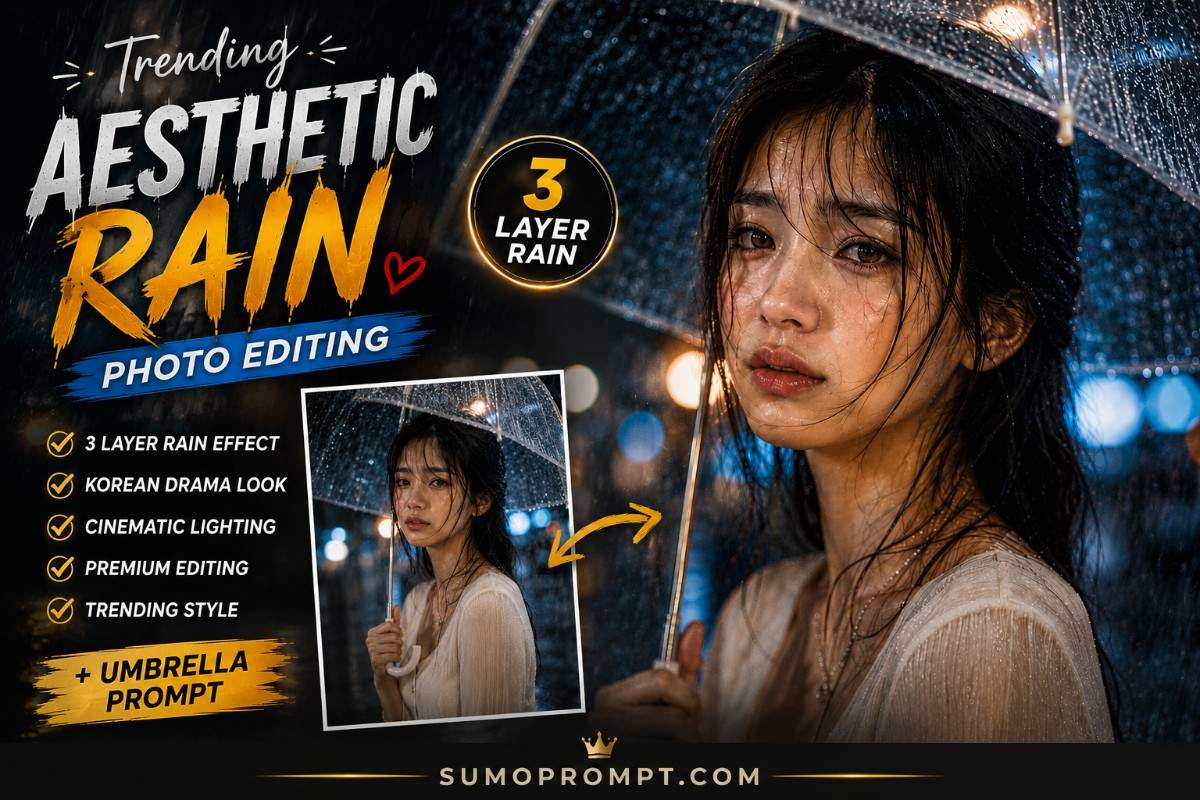
Trending Aesthetic Rain ChatGPT Prompt – Overview
| Detail | Information |
|---|---|
| Style | Cinematic rain portrait |
| Tools | ChatGPT or Gemini (Nano Banana) |
| Input | One clear, unfiltered photo |
| Output Ratio | 4:5 for feed, 9:16 for stories |
| Difficulty | Easy to medium |
| Best For | Instagram posts, WhatsApp DP, reel covers |
What 3 Layer Rain Actually Means
Real rain photography has depth to it, and that depth comes from rain existing at three distances from the camera at once.
Foreground rain — large droplets close to the lens, out of focus, sometimes just soft blurred shapes across part of the frame. This is the layer most people forget, and it’s the one that makes an image feel like a photograph taken in the rain rather than a photo of rain.
Mid-layer rain — the rainfall around the subject, sharp enough to see individual streaks. This is where the rain reads as rain.
Background rain — soft, blurred, often just visible as texture against lights or a bright sky. It fills the space behind the subject and stops the background looking flat.
Ask for all three explicitly and the image gains depth immediately. Ask for “realistic rain” and you’ll usually get a single flat layer of streaks.
The Rule Most Rain Prompts Miss
Here’s the thing almost nobody writing these prompts seems to know.
Rain is invisible without backlight. In actual photography, you don’t see rain because it’s falling — you see it because light strikes each droplet from behind or the side and makes it glow against a darker background. Rain falling in flat, even light barely shows up on camera at all.
That’s exactly why so much AI rain looks painted on. The prompt asks for rain, the model adds white streaks, but there’s no light logic behind them, so your eye rejects it.
Add this to any rain prompt and the difference is immediate:
“The rain is backlit by a light source behind the subject, making individual droplets and streaks glow visibly against a darker background.”
Three more details that sell the effect:
Droplets on the person, not just in the air. Rain around someone who is completely dry is the fastest way to break the illusion. Ask for water droplets on the forehead, cheeks, shoulders and forearms.
Wet hair in strands. Real wet hair separates into clumps with visible gaps between them, and a few pieces stick to the forehead. Wet hair rendered as one smooth mass looks wrong even if you can’t say why.
Reflections on the ground. Wet surfaces mirror whatever light is above them. Puddles catching streetlights or a bright sky do more for realism than adding more rain ever will.
Rain Ai Photo Editing Prompts For Girls
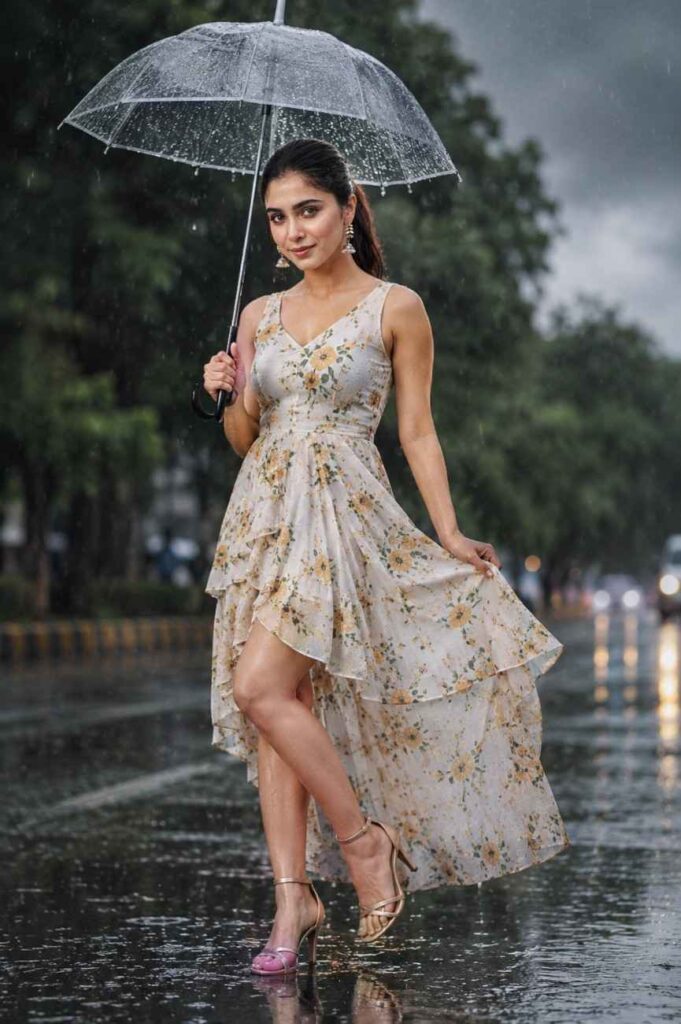
Use the uploaded image as the ONLY face reference. Apply ABSOLUTE FACE LOCK with maximum identity preservation. Do not change the face, facial structure, skin tone, natural skin texture, facial proportions, or expression in any way.

Create an ultra-realistic full-length cinematic portrait of the same Indian woman standing on a wet street during light rain, holding a transparent umbrella naturally in her right hand.

SCENE PRESERVATION:
Keep EVERYTHING from the original image exactly the same wherever possible — original pose, body proportions, composition, camera angle, framing, background arrangement, facial expression, head position, and overall visual identity.

ONLY CHANGE:

OUTFIT:
Replace the original outfit with an elegant white designer frock featuring a modern flowy silhouette, layered ruffles, a subtle high-low hem, and soft lightweight fabric. Add a beautiful yellow floral pattern with natural-looking flower prints evenly distributed across the dress. Keep the floral design elegant, realistic, and aesthetically balanced.

Make the dress slightly wet from the rain, with realistic moisture and subtle fabric clinging where naturally expected. Preserve realistic fabric folds, transparency control, stitching details, and natural clothing physics. Avoid exaggerated wetness.

FOOTWEAR:
Replace the footwear with stylish modern strappy heeled sandals featuring a minimal elegant design. The sandals should appear slightly wet from the rain with subtle realistic reflections from the wet street.

WEATHER & MOOD:
Transform the atmosphere into a slightly darker cloudy rainy environment while keeping it as overcast daylight, NOT nighttime. Create a soft moody rainy atmosphere with thick rain clouds covering the sky and naturally diffused daylight.

RAIN REALISM:
Add visible natural raindrops and delicate rain streaks throughout the scene.
Create a wet reflective road with realistic puddles and subtle reflections of the subject and surroundings.
Add slight atmospheric mist in the distance.
Include realistic water droplets on the transparent umbrella, dress, hair, and surrounding surfaces.

POSE & EXPRESSION — KEEP EXACT:
Preserve the original pose exactly, including one leg slightly lifted forward in a playful natural motion.
Keep the head slightly tilted downward.
Preserve the same soft, subtle smile and original facial expression.
Keep the transparent umbrella in her right hand with the same natural positioning.

BACKGROUND:
Keep the original blurred green trees and overall background composition unchanged. Only enhance the environment with realistic rainy atmosphere, moisture, subtle mist, and darker overcast conditions.

FACE & SKIN:
Absolutely no facial modification. Preserve the exact face from the uploaded reference. Do not alter facial structure, eyes, eyebrows, nose, lips, jawline, cheeks, hairline, skin tone, or expression. Maintain realistic natural skin texture and visible fine details. No beauty filter, no face enhancement, no skin smoothing, no artificial retouching.

LIGHTING:
Use soft, diffused cloudy daylight with subtle natural highlights on wet skin, hair, dress, umbrella, and footwear. Maintain realistic rainy-day exposure with gentle shadows and natural reflections.

CAMERA & QUALITY:
Full-length composition, professional DSLR photography, cinematic photography style, shallow depth of field, realistic optical bokeh, natural perspective, highly detailed textures, realistic rain physics, natural color grading, photorealistic skin, authentic fabric texture, cinematic atmosphere, ultra-realistic 8K quality.

FINAL RESULT:
The final image must look like a genuine high-end cinematic photograph captured naturally on a rainy day. Preserve the original person's identity, pose, composition, body proportions, background, and expression. The only major visual changes should be the specified white-and-yellow floral designer frock, modern strappy heels, and enhanced rainy atmosphere.

NEGATIVE PROMPT:
changed face, different person, altered identity, face reshaping, face slimming, changed facial structure, changed expression, changed skin tone, beauty filter, skin smoothing, plastic skin, artificial face, altered eyes, altered nose, altered lips, changed hairline, body reshaping, changed body proportions, changed pose, changed composition, extra limbs, extra fingers, missing fingers, distorted hands, unrealistic clothing, excessive wetness, transparent clothing, unrealistic rain, excessive fog, night scene, artificial glow, oversaturated colours, cartoon, anime, CGI, low quality, blurry face, excessive motion blur, watermark, logo, text
Prompt 1 – Viral 3 Layer Rain Prompt
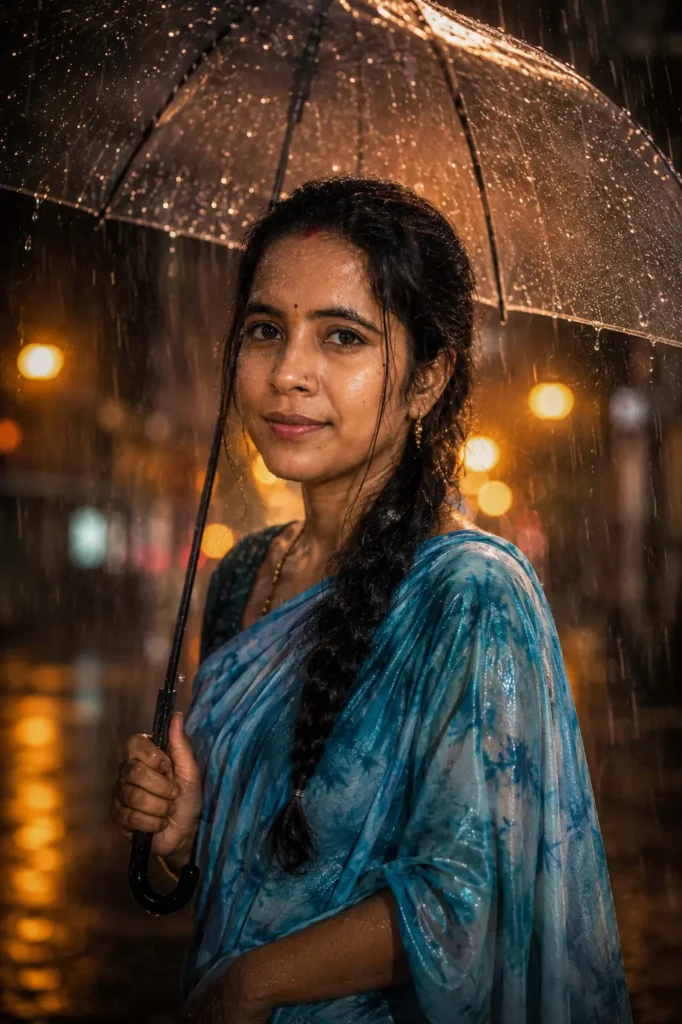
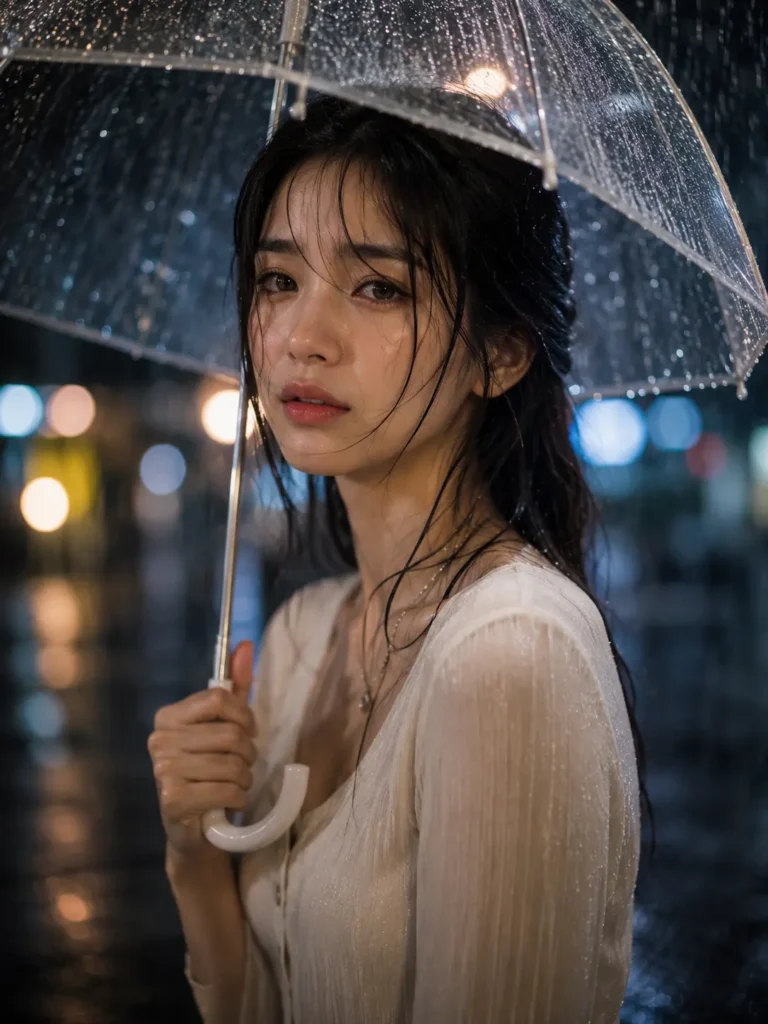
Create an ultra-realistic cinematic portrait of a young girl standing naturally under a transparent umbrella during heavy rain.

RAIN EFFECT:
Create a realistic 3-layer rain effect for strong depth and realism:
1. Foreground — larger water droplets close to the camera, slightly out of focus with natural highlights.
2. Midground — visible realistic rain streaks surrounding the subject with varied lengths and density.
3. Background — softer, finer rainfall fading naturally into the distance.
Make the rain physically realistic with natural direction, reflections, and atmospheric depth.

SUBJECT:
Young girl with a soft, emotional, natural expression. Preserve realistic facial proportions and authentic natural skin texture. Her skin should appear slightly wet from the rain with subtle realistic moisture, not glossy or artificially smooth.

HAIR:
Highly detailed individual hair strands with realistic movement and slight dampness from the rain. A few strands naturally frame the face while maintaining a soft, cinematic appearance.

UMBRELLA:
Transparent clear umbrella held naturally above her head, with realistic water droplets collecting on the surface and subtle reflections from surrounding lights.

LIGHTING:
Warm cinematic street lights illuminating the rainy environment. Create beautiful glowing bokeh from distant lights while maintaining realistic exposure. Use soft warm highlights across the wet skin, hair, umbrella, and surrounding rain droplets. Keep shadows natural and atmospheric.

ENVIRONMENT:
Rainy urban street at night with wet reflective surfaces, subtle puddles, distant street lights, and atmospheric moisture. The road should reflect warm lights naturally, creating a cinematic rainy-night mood.

CAMERA:
Professional DSLR photography, 85mm lens, shallow depth of field, sharp focus on the subject's eyes and face, realistic optical bokeh, natural perspective, cinematic composition, high dynamic range.

STYLE:
Ultra-realistic, photorealistic, cinematic photography, natural skin texture, detailed hair strands, realistic rain physics, realistic wet surfaces, warm cinematic color grading, emotional atmosphere, premium editorial photography, ultra HD 4K quality.

NEGATIVE PROMPT:
blurry face, low quality, plastic skin, overly smooth skin, artificial beauty filter, distorted face, bad anatomy, extra fingers, missing fingers, extra limbs, unrealistic rain, excessive rain blur, fake water droplets, unrealistic wet skin, CGI, cartoon, anime, oversaturated colours, excessive glow, harsh lighting, distorted umbrella, watermark, logo, text
2nd photos
This is the most viral prompt right now.
Prompt 2 – Dreamy Umbrella Prompt
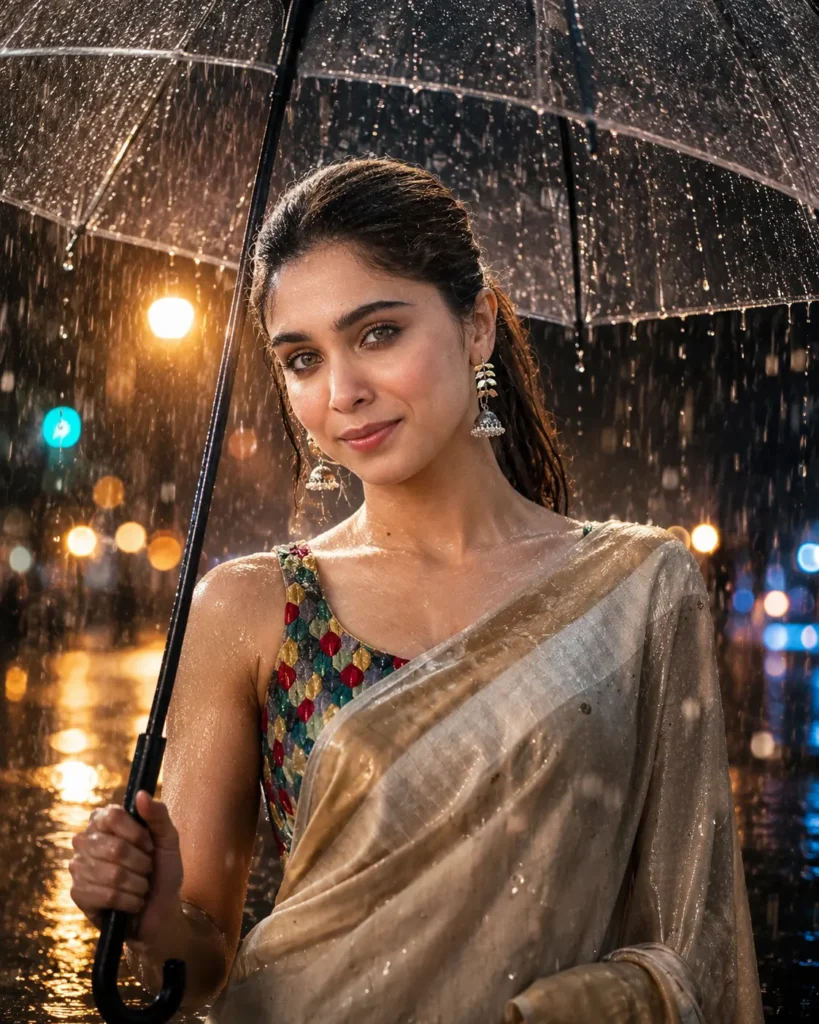
Generate a premium aesthetic portrait of a beautiful girl standing under a black umbrella during a rainy night. The scene should feel dreamy, cinematic, and emotionally atmospheric.

Show realistic raindrops falling around her and clearly visible water droplets collected on the surface of the black umbrella. The wet road should create beautiful neon reflections in blue, orange, and subtle pink tones, adding a stylish urban night atmosphere.

Use cinematic blue and orange color grading with realistic ambient street lighting, soft neon glow, natural highlights on the face, and subtle rim light separating the subject from the background. Keep the background softly blurred with dreamy bokeh lights and realistic depth.

Preserve natural facial features, realistic skin texture, detailed eyes, natural hair strands, and authentic skin tones. The overall image should look like a professional DSLR fashion portrait captured during a rainy night.

Camera style: Full-frame DSLR, 85mm portrait lens, f/1.8 aperture, shallow depth of field, cinematic composition, realistic exposure, sharp subject focus, soft background bokeh, ultra-detailed, photorealistic, 4K/8K quality, Instagram aesthetic.

Negative prompt: blurry face, plastic skin, over-smoothed skin, distorted facial features, extra fingers, deformed hands, duplicate person, unrealistic rain, oversaturated colors, cartoon, anime, low resolution, artificial lighting, excessive sharpening, bad anatomy.
Korean Drama Rain Prompt
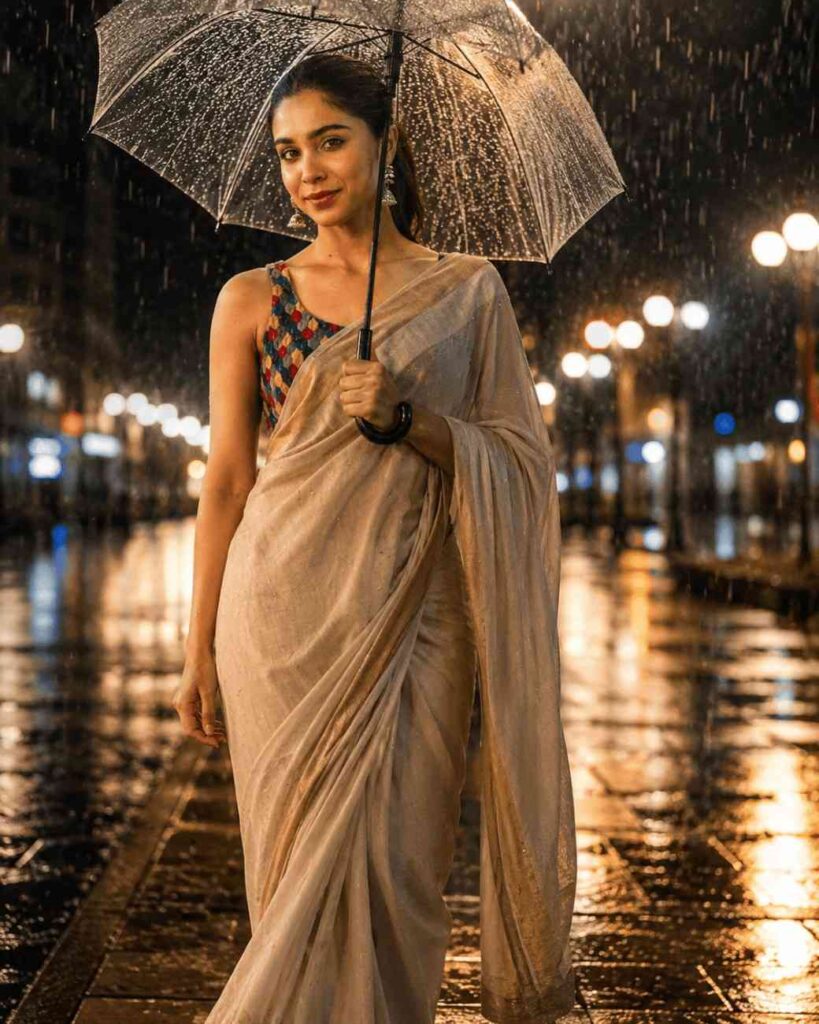
Create a romantic Korean drama-inspired portrait of a beautiful girl standing under an elegant umbrella during a soft rainy evening. Capture a subtle emotional expression with natural eyes, gentle facial emotion, and a dreamy romantic atmosphere.

Soft rain should fall naturally around her, with tiny realistic raindrops visible in the air and on the umbrella. Create a cinematic city background filled with warm glowing street lights, subtle neon signs, creamy bokeh, and wet reflective roads. Use a beautifully blurred background to create the feeling of a romantic K-drama scene.

Keep her facial features completely natural and realistic, with detailed eyes, authentic skin texture, natural pores, realistic hair strands, soft makeup, and true-to-life skin tones. Add gentle highlights from the city lights across her face and hair while maintaining realistic lighting.

Composition should feel like a premium Korean drama poster and high-end editorial fashion photograph — elegant, emotional, intimate, cinematic, and visually sophisticated.

Camera style: Full-frame DSLR, 85mm portrait lens, f/1.8 aperture, shallow depth of field, cinematic framing, soft atmospheric lighting, realistic exposure, creamy bokeh, natural color grading, ultra-realistic photography, premium editorial photography, 4K/8K resolution.

Negative prompt: plastic skin, excessive skin smoothing, artificial face, distorted facial features, unrealistic eyes, bad anatomy, deformed hands, extra fingers, duplicate person, harsh lighting, oversaturated colors, cartoon, anime, CGI look, low resolution, blurry subject, excessive makeup, unnatural rain.
When Your Rain Photo Doesn’t Look Right
The rain looks painted on. Missing backlight. Add the backlight line from earlier — it’s the single biggest fix available and it takes one sentence.
The person looks dry in a downpour. You asked for rain in the scene but not on the subject. Add droplets on the face, shoulders and forearms, plus damp separated hair.
The umbrella is warped or has too many ribs. Umbrellas are one of AI’s weaker objects. Regenerate a few times, or use the balcony or café prompt instead — neither needs one.
The hand holding the umbrella looks wrong. Fingers wrapped around a thin handle fail often. Change the pose so the umbrella rests on her shoulder rather than being gripped at chest height.
The face came back smoothed. The most stubborn default on portrait edits. State it both ways — “do not smooth the skin” and “preserve visible skin pores and natural texture”.
Everything looks glossy and fake. Remove stacked superlatives like “8K ultra HD hyperrealistic cinematic masterpiece”. They push the model toward a CGI look. One clear realism instruction does more than five vague ones.
The reflections are missing. Wet ground should mirror the light above it. Add “wet reflective road surface mirroring the sky and surrounding lights”.
Frequently Asked Questions
What is 3 layer rain editing? An AI photo style that builds rain at three depths — large droplets near the camera, rainfall around the subject, and soft blurred rain in the background. The layering creates depth instead of a flat rain overlay.
Why does my AI rain look fake? Almost always missing backlight. Rain only becomes visible on camera when light hits it from behind or the side. One backlight instruction fixes most of it.
Which AI tool is best for rain photos? ChatGPT and Gemini both handle these well. Gemini holds facial likeness slightly better; ChatGPT handles complex lighting descriptions slightly better. Run the same prompt on both and keep the better result.
Will my real face be preserved? Yes, if you use a clear, front-facing, unfiltered photo and keep the face lock lines intact. Filtered selfies are the number one cause of the face coming back looking like someone else.
Can boys use these prompts? Yes. Change the outfit line to a plain shirt, hoodie or jacket and everything else works unchanged.
Do I need heavy rain for a good photo? No — light rain and after-rain usually look better. Heavy rain is the hardest thing for AI to render convincingly.
Can I use these on the free version? Yes, on both ChatGPT and Gemini. Free tiers cap your daily generations and sometimes output resolution.
Conclusion
Rain photos aren’t hard to get right, but they do depend on one thing most prompts leave out. Light the rain from behind, put water on the person and not just in the air, and let the wet ground reflect something. Those three details do more than any amount of prompt length.
Start with the umbrella street prompt if you want the classic look, or the balcony one if your source photo is an ordinary selfie. Generate two or three times, keep the version where your face looks most like you, and skip anything that comes back glossy.
Also read: Half Eye Cinematic ChatGPT Viral Prompt Photo Editing 2026 – Create Stunning AI Portraits for Free