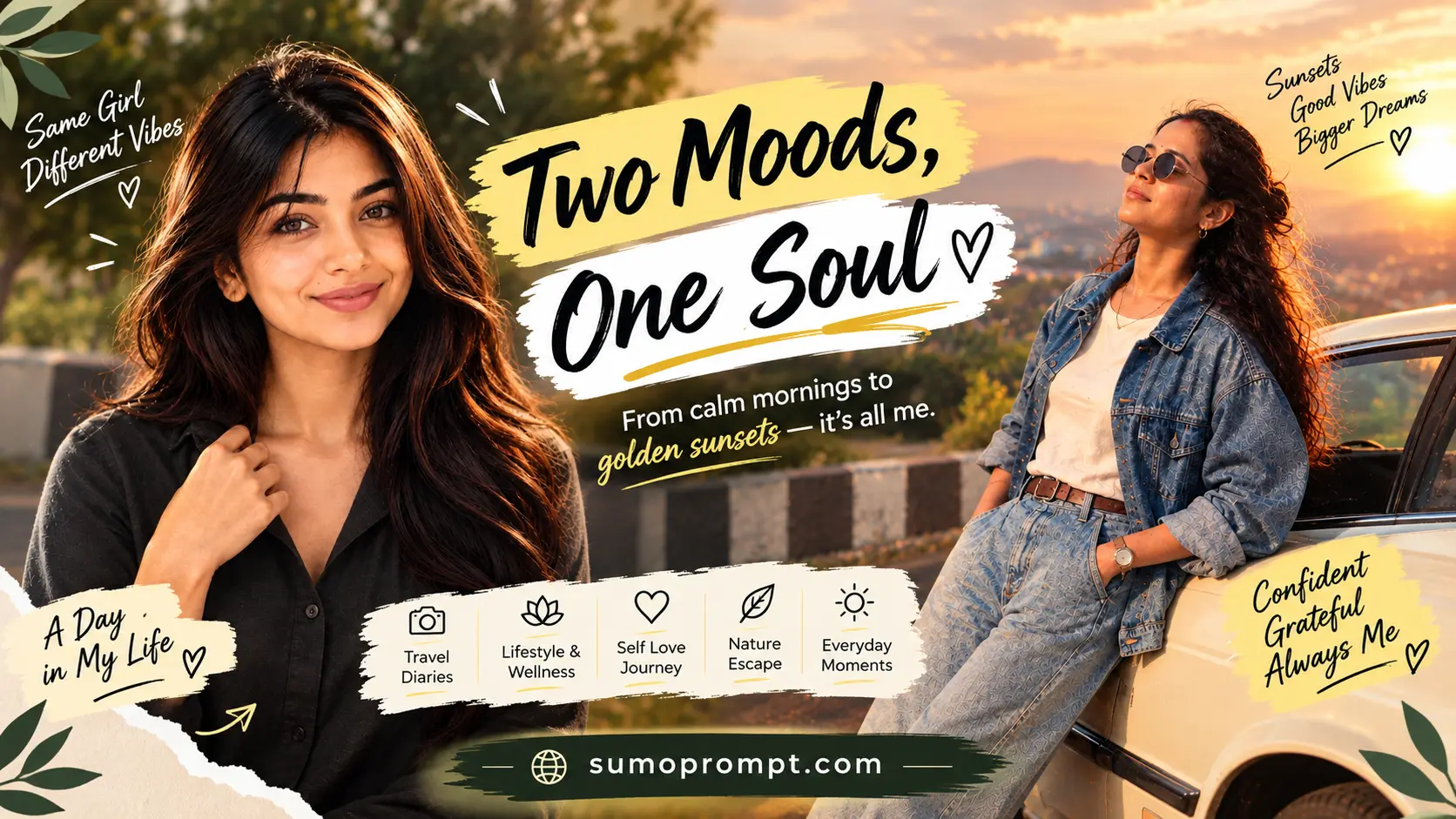
Google Gemini Stunning Style AI Photo Editing Prompt: Most people use Gemini the same way they use every other AI tool — paste a prompt, look at the result, paste a different prompt, repeat. It works, but it wastes the one thing Gemini actually does better than the rest: it remembers the image you’re working on and lets you adjust it in conversation.
That changes how you should write prompts entirely. Instead of hunting for a new Gemini photo editing prompt every time you want a different look, you write one strong master prompt and then swap individual lines inside it. Same structure, five completely different results, and your face stays consistent through all of them because the identity block never moves.
This guide gives you that master prompt, the five swaps that produce the stunning style AI photo editing looks people are actually posting right now, and the follow-up technique that saves you most of your regenerations.
Google Gemini Stunning Style AI Photo Prompt- Overview
| Detail | Information |
|---|---|
| Tool | Google Gemini (Nano Banana image editing) |
| Input | One clear photo of yourself |
| Approach | One master prompt + variable swaps |
| Looks Covered | 5 distinct styles from a single structure |
| Output Ratio | 4:5 vertical for feed, 9:16 for stories |
| Cost | Free tier works, with daily generation limits |
Why Gemini needs a different approach
Three practical differences worth knowing before you start.
It holds a reference face better. Gemini’s image editing was built around editing an existing photo rather than generating from scratch, and it shows. For anything where the likeness matters — portraits, couples, family photos — it drifts less than the alternatives.
It accepts follow-up instructions. You don’t have to rewrite the whole prompt to change one thing. Tell it “make the background darker” and it adjusts the same image instead of starting over. Almost nobody uses this properly, and it’s the single biggest time-saver available.
It over-corrects skin unless you stop it. Left alone, Gemini smooths skin and softens features slightly on almost every portrait edit. This is fixable, but only if you explicitly ask it not to — which is why the master prompt below is written the way it is.
How to Google Gemini Stunning Style AI Photo Editing (Step-by-Step Guide)
To create photos like the examples above, follow these simple steps:
- Copy the Prompt
First, copy any Pongal AI photo prompt from above. - Open Google Gemini
Go to ChatGPT or any AI image generator (like Gemini, etc.). - Paste the Prompt
Paste the copied prompt into the input box. - Upload Your Photo (Optional)
Add your own photo if you want to edit your real image. - Generate the Image
Click on generate, and within seconds your AI Pongal photo will be ready in 8K quality
Stunning Style 8K AI Prompts (Copy-Paste Ready)
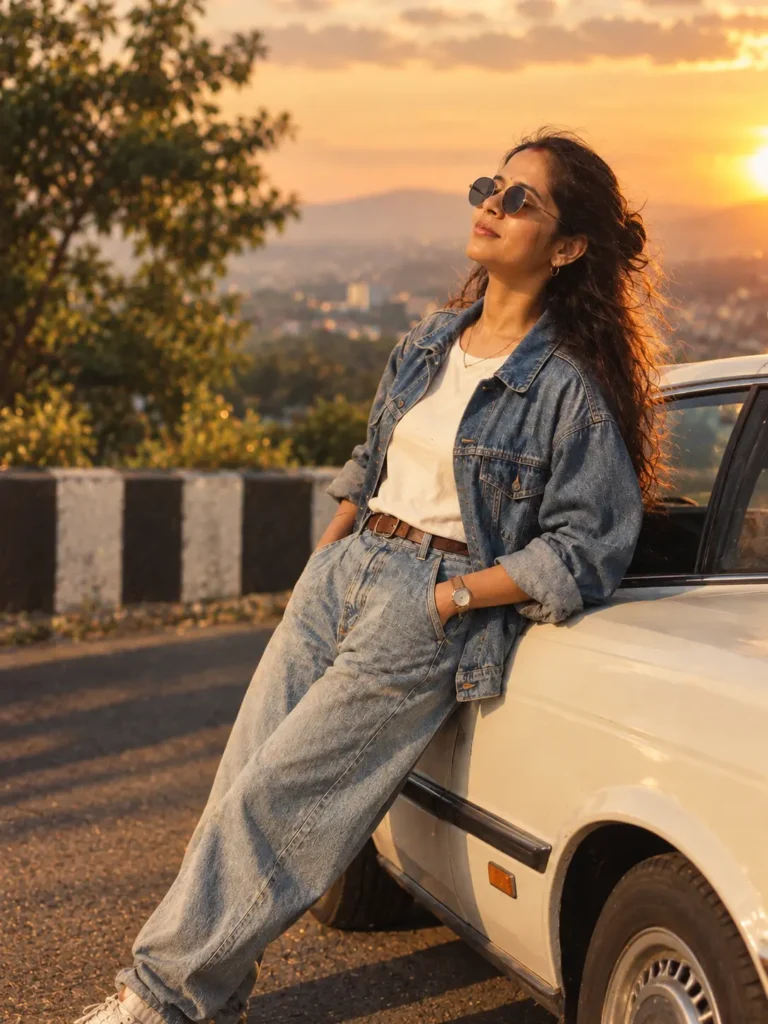
Golden Hour Prompt
Create an ultra-realistic premium cinematic portrait of a person during a breathtaking sunset, captured like a professional high-end editorial photoshoot. Preserve the subject’s natural facial identity, facial structure, skin tone, hairstyle, and realistic proportions with an authentic and confident expression.

Use warm golden-hour sunlight falling naturally across the face, creating beautiful glowing highlights along the hair and subtle warm rim lighting around the subject. Add soft realistic shadows, gentle skin highlights, natural skin texture, and cinematic light falloff for a premium photographic appearance.

Keep the background natural, elegant, and softly blurred with realistic environmental details and beautiful sunset atmosphere. Use shallow depth of field with smooth creamy bokeh while keeping the face extremely sharp and detailed.

Professional DSLR camera quality, 85mm portrait lens aesthetic, wide dynamic range, realistic exposure, cinematic contrast, natural color tones, premium color grading, detailed hair strands, highly realistic skin texture, sharp eyes, authentic facial details, subtle atmospheric depth, professional magazine photography composition, luxury portrait aesthetic, Instagram-ready photography, Ultra HD, 8K resolution.

The final image should look like a professionally photographed real portrait captured during golden hour — natural, sophisticated, cinematic, highly detailed, and photorealistic.

Negative prompt: changed face, different identity, distorted facial features, unrealistic skin, plastic skin, excessive skin smoothing, blurry face, soft eyes, bad anatomy, unrealistic body proportions, harsh shadows, overexposure, underexposure, fake sunset, oversaturated colors, excessive HDR, artificial bokeh, low resolution, cartoon effect, CGI appearance, unnatural lighting, watermark, logo, text artifacts.
- Copy the Prompt
- Open Google Gemini
- Paste the Prompt
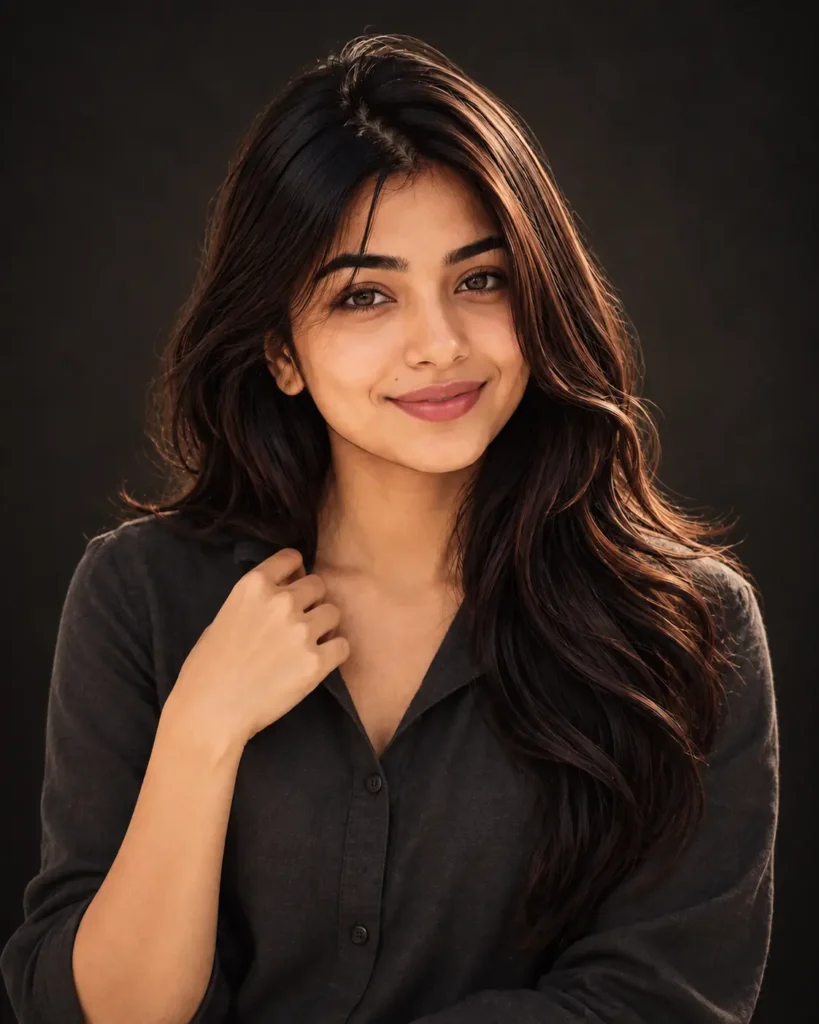
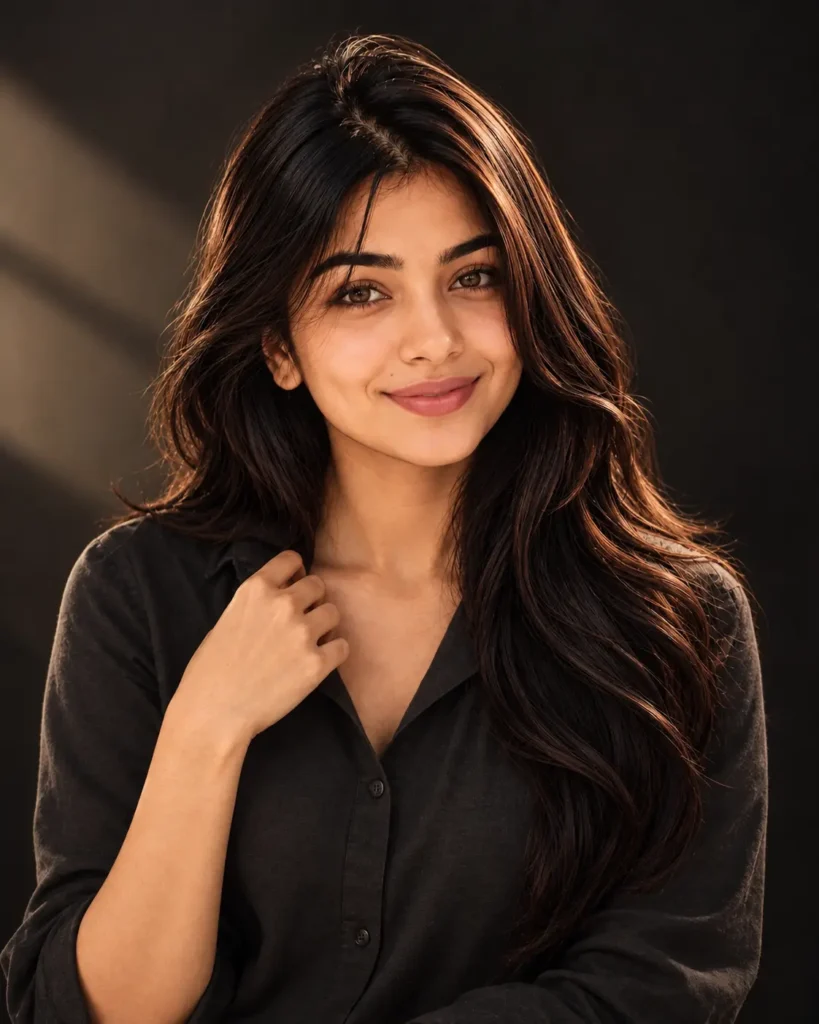
Cinematic Style Prompt
Edit the uploaded reference photo into a stunning ultra-realistic cinematic portrait while keeping the uploaded image as the ONLY reference for the subject’s face and identity.

IDENTITY:
Strictly preserve the exact facial structure, natural skin tone, facial proportions, authentic expression, hairstyle, eye color, and recognizable identity from the uploaded photo. Preserve visible skin pores, fine lines, natural imperfections, and realistic skin texture. Do not smooth or beautify the skin. Do not slim or reshape the face, sharpen or alter the jawline, modify the nose, lips, eyes, cheeks, or any other facial features. Do not change the hairstyle or eye color. The subject must remain clearly recognizable as the same person from the original image.

LIGHTING:
Use a single soft cinematic key light positioned approximately 45 degrees camera-left, creating natural dimensional lighting across the face. Add a very gentle fill light on the shadow side to retain realistic facial detail, plus a subtle controlled rim light along the jawline and shoulder. Maintain realistic light falloff, soft highlights, natural shadows, and professional studio lighting without artificial glow.

WARDROBE:
Dress the subject in a plain charcoal-colored shirt with minimal, sophisticated styling. Keep the clothing realistic with natural fabric texture and clean folds. No visible logos, graphics, patterns, or distracting accessories.

SET:
Place the subject against a dark neutral studio background with soft tonal falloff and a very subtle natural vignette. Keep the background clean, minimal, elegant, and unobtrusive so the face remains the primary focal point.

CAMERA:
Professional full-frame DSLR/mirrorless portrait photography, 85mm portrait lens, f/2.0 aperture, eye-level camera position, realistic perspective, natural depth of field, sharp focus precisely on the near eye, smooth but realistic background separation, detailed eyelashes, natural hair strands, and authentic photographic depth.

FINISH:
Apply a neutral cinematic color grade with a subtle warmth in the highlights while keeping skin tones completely natural. Use balanced contrast, realistic dynamic range, controlled highlights, soft shadow detail, and fine photographic grain. Preserve genuine photographic texture throughout the image.

Do NOT apply beauty filters, skin retouching, artificial glow, excessive HDR, plastic skin effects, face reshaping, or over-sharpening. The final result should look like a premium professional portrait photographed in a high-end studio, not an AI-generated or heavily edited image.

COMPOSITION & OUTPUT:
Vertical 4:5 portrait composition, professional editorial framing, high resolution, Ultra HD 8K quality, photorealistic details, natural proportions, cinematic studio atmosphere, premium magazine photography aesthetic.

Negative prompt: changed identity, different face, altered facial structure, face slimming, sharpened jawline, changed hairstyle, changed eye color, beauty filter, skin smoothing, plastic skin, missing pores, excessive retouching, artificial glow, over-sharpening, fake skin texture, distorted facial features, bad anatomy, unrealistic proportions, harsh lighting, excessive HDR, overexposure, crushed shadows, oversaturated colors, fake bokeh, distracting background, visible logo, text, watermark, low resolution, cartoon effect, CGI appearance.
- Copy the Prompt
- Open Google Gemini
- Paste the Prompt
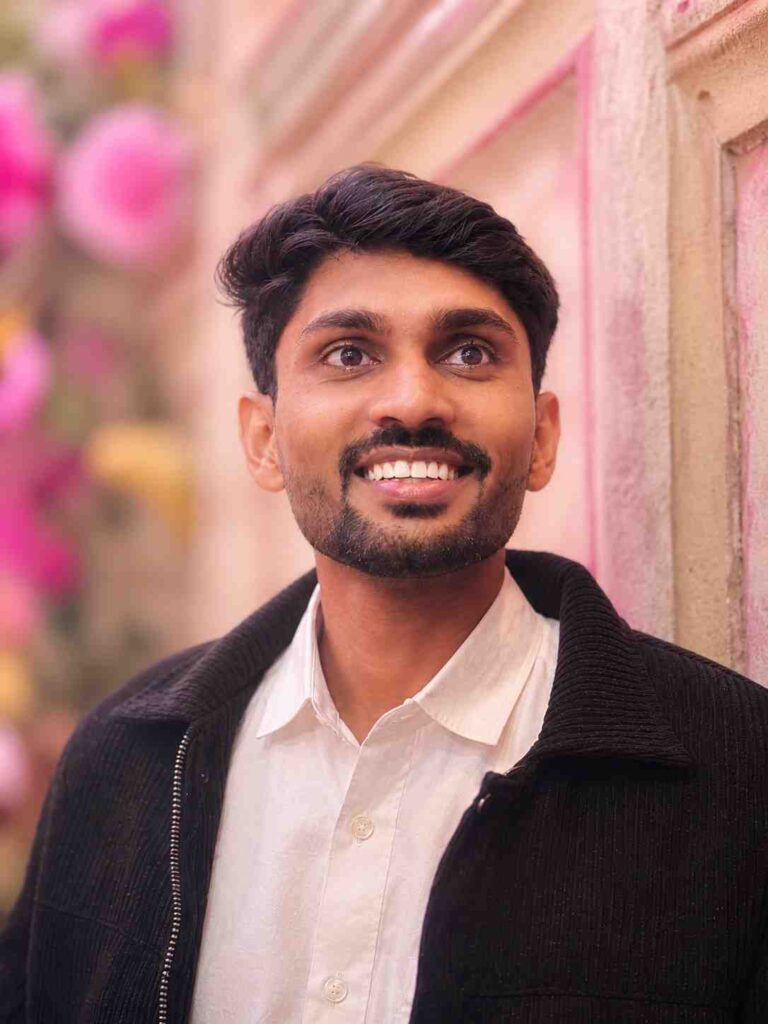
Aesthetic Instagram Prompt
“`htmlCreate a soft aesthetic portrait with beautiful pastel color tones and a dreamy, elegant atmosphere. Use natural soft lighting with gentle highlights and realistic shadows, smooth yet natural skin texture, subtle facial details, and a softly blurred background with creamy bokeh. Keep the overall portrait delicate, clean, premium, and visually pleasing. Preserve natural facial features, realistic skin texture, authentic proportions, and a natural expression. Add a subtle cinematic depth and soft pastel color grading for a modern Instagram aesthetic. Ultra-realistic photography, DSLR quality, professional portrait photography, shallow depth of field, natural lighting, realistic bokeh, soft cinematic tones, detailed skin and hair texture, high dynamic range, premium Instagram-style photo, highly detailed, Ultra HD 8K resolution. Negative prompt: changed face, distorted facial features, unnatural skin, plastic skin, excessive smoothing, beauty filter, bad anatomy, unrealistic proportions, extra fingers, deformed hands, blurry subject, low resolution, harsh lighting, oversaturated colors, artificial bokeh, excessive HDR, cartoon effect, watermark, logo, text.
- Copy the Prompt
- Open Google Gemini
- Paste the Prompt
Luxury Style Prompt
“`htmlCreate a premium lifestyle portrait with an elegant, sophisticated, and luxurious atmosphere. Style the subject in a refined, fashionable outfit with premium details and a confident, bold expression. Place the subject in a high-end luxury background such as an upscale hotel, modern architectural space, luxury lounge, or premium urban setting. Use warm golden lighting with soft highlights, realistic shadows, and a subtle cinematic glow. Capture ultra-detailed natural skin texture, realistic facial details, authentic proportions, and a polished yet natural appearance. Create a premium influencer-style aesthetic with cinematic depth, shallow depth of field, creamy background bokeh, and professional editorial composition. Ultra-realistic photography, DSLR quality, professional portrait photography, cinematic color grading, rich natural tones, highly detailed skin, hair and clothing textures, sharp subject, luxury lifestyle magazine aesthetic, Instagram influencer style, sophisticated mood, dramatic yet natural lighting, premium photography, Ultra HD 8K resolution. Negative prompt: changed face, distorted facial features, plastic skin, excessive skin smoothing, beauty filter, bad anatomy, unrealistic body proportions, extra fingers, deformed hands, blurry face, low resolution, harsh lighting, oversaturated colors, fake background, excessive HDR, cartoon effect, artificial skin, watermark, logo, text.
- Copy the Prompt
- Open Google Gemini
- Paste the Prompt
Prompt 6: 🏔️ Travel Photography Prompt
“`htmlCreate an ultra-realistic travel portrait of a person standing at a breathtaking scenic mountain location. Capture the subject in a wide-angle composition with majestic mountains, dramatic landscapes, clear sky, and beautiful natural surroundings creating a sense of adventure, freedom, and travel. Use vibrant yet natural colors, soft natural daylight, realistic shadows, detailed mountain textures, atmospheric depth, and authentic environmental details. Keep the subject sharp, naturally integrated into the landscape, with realistic body proportions, natural facial features, and detailed skin and clothing texture. Professional travel photography, DSLR quality, wide-angle lens, cinematic composition, realistic depth and perspective, high dynamic range, natural color grading, crisp details, atmospheric landscape depth, premium Instagram travel aesthetic, visually striking outdoor photography, highly photorealistic, Ultra HD 8K resolution. Negative prompt: changed face, distorted facial features, bad anatomy, unrealistic body proportions, extra fingers, deformed hands, blurry subject, low resolution, artificial lighting, oversaturated colors, fake mountains, unrealistic landscape, excessive HDR, cartoon effect, plastic skin, unnatural shadows, watermark, logo, text.
- Copy the Prompt
- Open Google Gemini
- Paste the Prompt
Studio Photoshoot Prompt
“`htmlCreate a professional studio portrait with a premium editorial photography aesthetic. Use a controlled professional lighting setup with carefully positioned key and fill lights, creating high-contrast shadows, defined highlights, and a dramatic yet sophisticated atmosphere. Keep the subject's face ultra-realistic with authentic facial structure, natural skin texture, visible pores, fine facial details, and realistic proportions. Maintain sharp focus on the eyes and facial features while keeping the overall appearance natural and refined. Use a clean, minimal studio background with subtle depth and cinematic separation. Professional DSLR photography, portrait lens, sharp focus, realistic depth of field, controlled highlights and shadows, cinematic composition, premium editorial color grading, natural contrast, highly detailed skin and clothing texture, luxury magazine photography style, Ultra HD 8K resolution. Negative prompt: changed face, distorted facial features, plastic skin, excessive skin smoothing, beauty filter, bad anatomy, unrealistic proportions, extra fingers, deformed hands, blurry face, low resolution, flat lighting, overexposure, crushed shadows, oversaturated colors, excessive HDR, cartoon effect, artificial skin, watermark, logo, text.
- Copy the Prompt
- Open Google Gemini
- Paste the Prompt
The most natural of the five, and the one that survives being reposted or screenshotted best.
Use the follow-up, don’t regenerate
This is where most people waste their daily limit. When something is nearly right, don’t paste a new prompt — talk to it.
Instead of rewriting everything because the background is too bright, just say: keep everything identical, make the background two stops darker.
Instead of regenerating because the skin looks smoothed: the skin has been smoothed — restore visible pores and natural texture, keep everything else exactly the same.
Instead of a fresh prompt for a different crop: same image, reframe to 9:16 vertical with more headroom.
Two rules make follow-ups work. Always include “keep everything else the same” — without it, Gemini treats the instruction as a new brief and quietly changes three other things. And change one thing per message. Stack three corrections into one follow-up and you’ll get a worse image than you started with.
Where these prompts go wrong
The skin came back smoothed anyway. Gemini’s strongest default habit. Add “preserve visible skin pores” as a positive instruction alongside the refusals — some source photos need it stated both ways.
The face changed. Almost always the source photo. Filtered selfies, side angles and low light give the model too little to lock onto. Front-facing, unfiltered, well-lit — that’s the whole requirement.
The output looks over-processed. You probably left words like “cinematic”, “dramatic” and “stunning” scattered through the prompt on top of the specific instructions. Those words push the model toward heavy grading. The master prompt uses them once, in the opening line, deliberately.
The background changed when you only asked about lighting. You forgot “keep everything else the same” in your follow-up.
Everything looks the same across five swaps. You changed the wardrobe and background but left the light identical. Light does more work than any other variable in the prompt — if the light doesn’t change, the look doesn’t change.
Frequently Asked Questions
Does this work on the free version of Gemini? Yes. The free tier caps how many images you can generate per day, but the prompts and follow-up behaviour work identically.
Can I use the same prompts in ChatGPT? Mostly. The structure transfers fine, but the conversational follow-up technique is far weaker there — you’ll end up rewriting full prompts instead.
How many times should I regenerate? Two or three. If the third attempt still isn’t holding the face, the problem is your source photo, not your prompt.
Can I use these for couple photos? Yes, with one addition — state clearly that the two faces must not be blended or averaged together. Identity drift roughly doubles with two people in frame.
Which swap should I try first? Golden hour. Highest success rate on ordinary phone photos, and it works even when your source lighting is poor.
Conclusion
The reason this approach beats collecting prompts is simple: once the identity block and the camera block are locked, you can produce a dozen different looks without ever risking your likeness. The variables that create the style — light, set, finish — sit in their own lines, and swapping them is a ten-second edit.
Save the master prompt somewhere you can reach it quickly. Run one swap, use follow-ups to fix what’s close, and stop when the image looks like it came out of a camera rather than a model.
Also Read: Motu Patlu AI Video Editing Prompt (2026): The Complete Guide

Pingback: Gemini Trending Photo Prompt For Baby (2026 Ultra HD AI Photo Editing) - Sumo Prompt