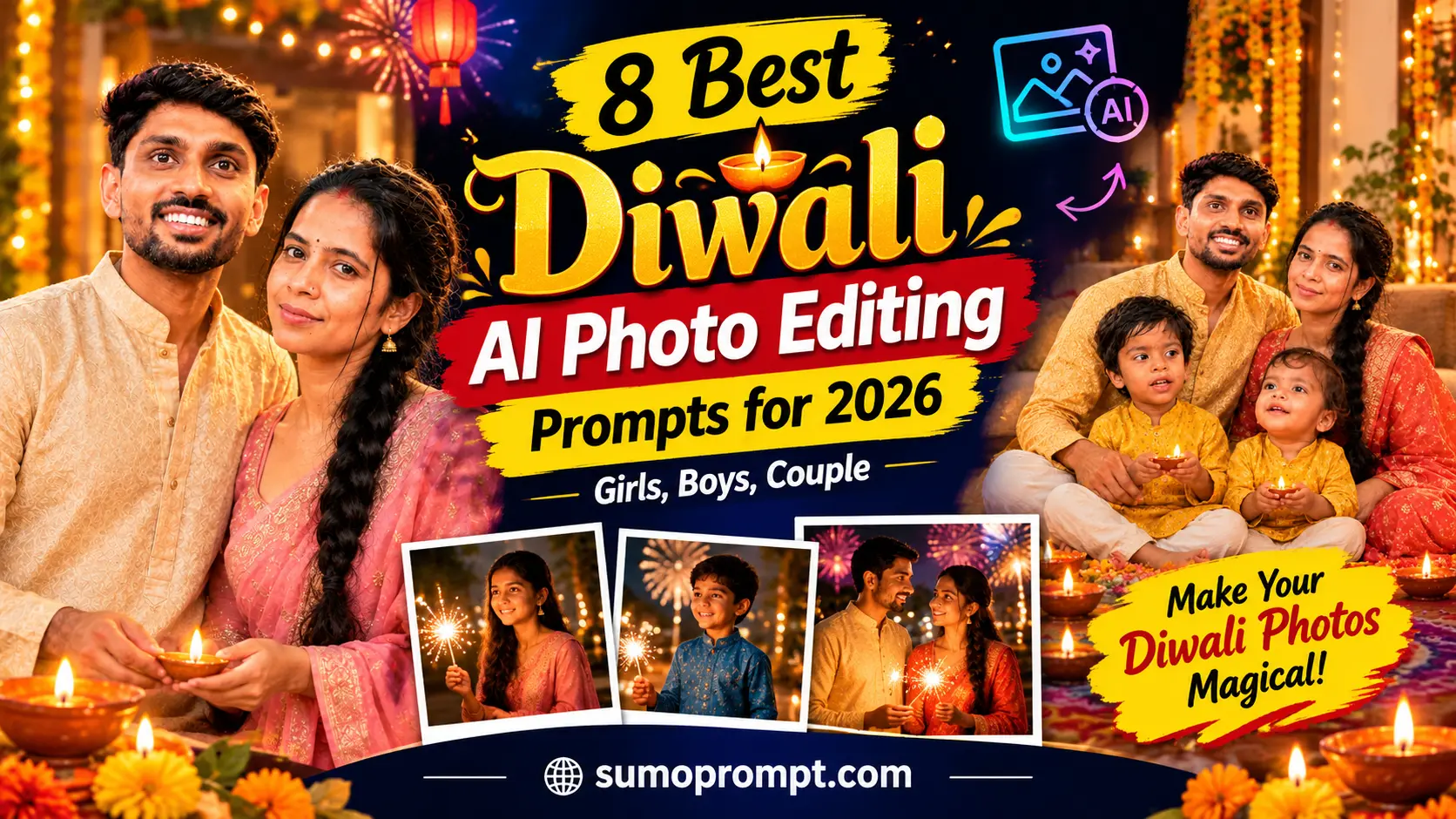
Diwali AI Photo Editing Prompts 2026: Every year the same thing happens. The house is cleaned, the rangoli is done, the diyas are lit, and your phone gallery fills up with the same five poses. This year you can do something a little different. With one good prompt and one clear photo, you can create a Diwali portrait that looks like it came from a festive studio shoot – glowing diyas, warm golden light, rich traditional clothes and a calm, happy mood.
This guide gives you 8 copy-paste Diwali AI photo editing prompts for girls, boys, couples and families, plus tips for keeping your face natural, fixes for common problems like extra fingers and plastic skin, and caption ideas for Instagram and WhatsApp Status. Everything below can be used in Gemini, ChatGPT or any AI image tool that lets you upload a reference photo.
Why Diwali AI Photos Are So Popular
Diwali is already one of the most photogenic festivals of the year. Warm light, colourful clothes, flowers, sweets and the glow of diyas make almost any picture look good. AI editing simply lifts that feeling. A phone photo taken in a normal living room can become a soft golden portrait with floating lights and a beautiful festive background.
The other reason is convenience. Not everyone can book a studio shoot in festival season, and not every family can get ready at the same time. An AI prompt lets you create a nice photo at any time, in any room, with the people or the photo you already have.
Before You Start: A Quick Checklist
- Use a clear reference photo. A front-facing or slightly angled photo in good light, with no heavy filter, works best.
- Use your own photos or photos you have permission to use. Do not upload someone else’s picture without asking.
- Choose a tool with image upload. Gemini and ChatGPT both allow it. Some features may need a login or have daily limits, so check the app.
- Edit the details. Replace words like [outfit colour] or [name] with your own choices.
- Generate 3–4 versions. The first result is rarely the best.
8 Diwali AI Photo Editing Prompts (Copy and Paste)
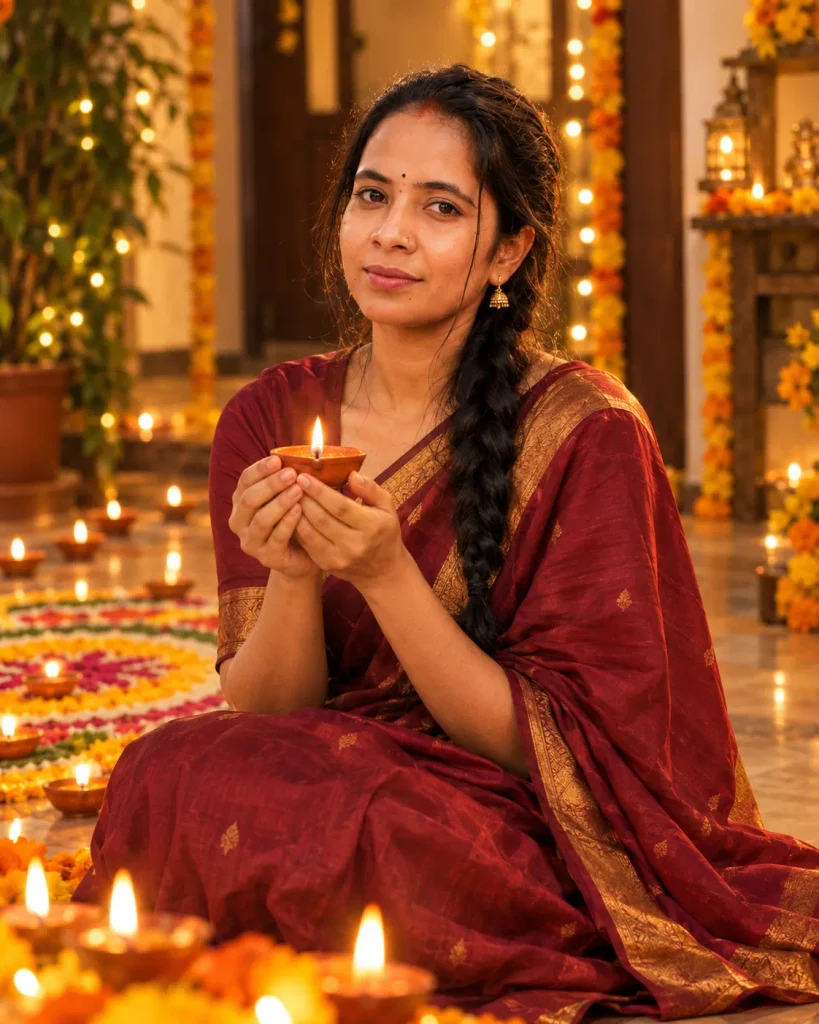
1. Diwali Diya Portrait for Girls
A soft, glowing close-up that works well as a profile picture or Status.
Use the uploaded photo as the only face reference. Keep her natural face shape, skin tone, hairstyle and facial features exactly the same. Do not beautify, slim or change her face.

Create a warm Diwali portrait. She is sitting on the floor in front of a row of lit diyas, gently holding one small diya in both hands near her chest. She wears a [maroon / mustard / emerald green] silk saree with a simple gold border and small traditional earrings.

Lighting: soft golden diya light on her face, warm glow in the background, gentle bokeh of tiny lights.
Background: a decorated home with marigold flowers and a rangoli on the floor.
Expression: calm, gentle smile.

Style: natural, realistic, high detail, visible skin texture, no plastic skin, no heavy filter, no text, no watermark. 4:5 vertical.
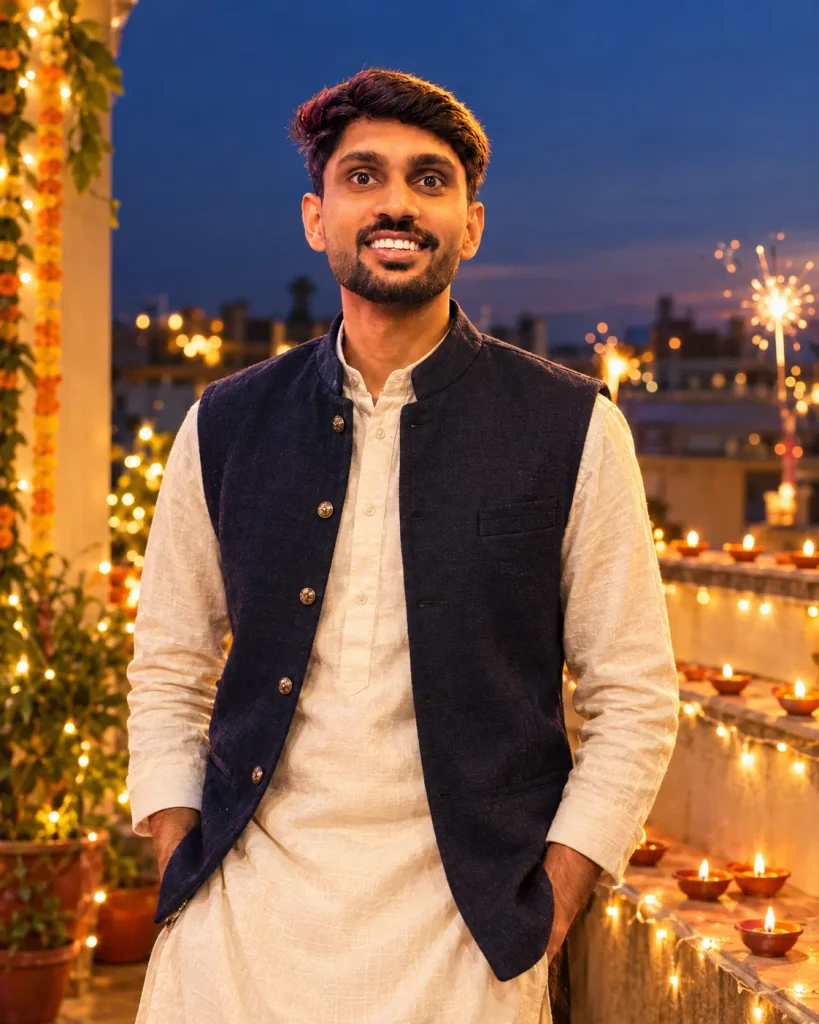
2. Diwali Prompt for Boys
Use the uploaded photo as the only face reference. Keep his face, hairstyle, beard and skin tone exactly as in the photo. Do not change his face.

Create a realistic Diwali portrait. He stands on a terrace at dusk wearing a [cream / navy / maroon] kurta with a simple jacket. Rows of diyas and string lights glow behind him, and a few sparklers are lit in the distance.

Camera: half-body shot, slightly low angle, 50 mm lens look.
Light: warm golden light from the diyas, soft evening sky in deep blue.
Mood: confident, relaxed, festive.

No text, no watermark, no extra fingers, no distorted hands, natural skin texture. 4:5 vertical.
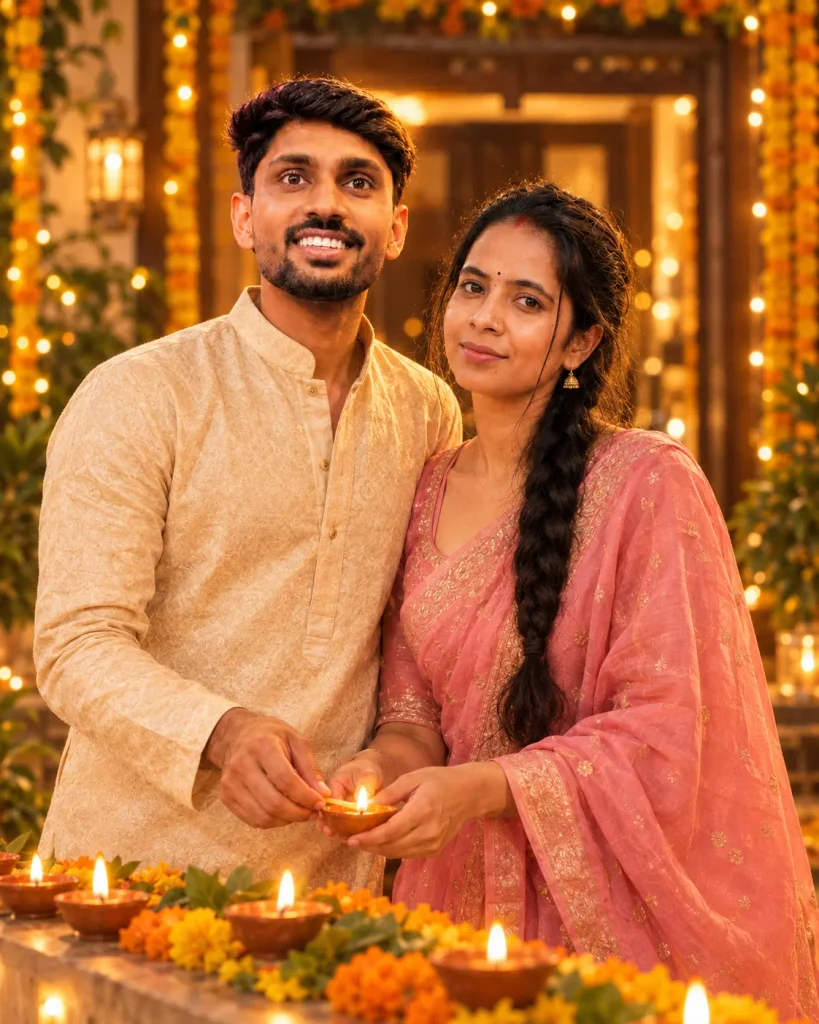
3. Diwali Couple Photo
Use the two uploaded photos as the face references for the two people. Keep each person's face, hairstyle and skin tone exactly the same. Do not swap or blend their faces.

Create a romantic Diwali couple portrait. They stand close together in a decorated courtyard, lighting a diya together. She wears a [pastel pink / red] saree or lehenga and he wears a matching [cream / gold] kurta.

Lighting: soft warm diya light, gentle glow on both faces.
Background: fairy lights, marigold garlands and a soft blurred home entrance.
Expression: happy, natural, close.

Realistic, high detail, no plastic skin, no text, no watermark, no extra fingers. 4:5 vertical.
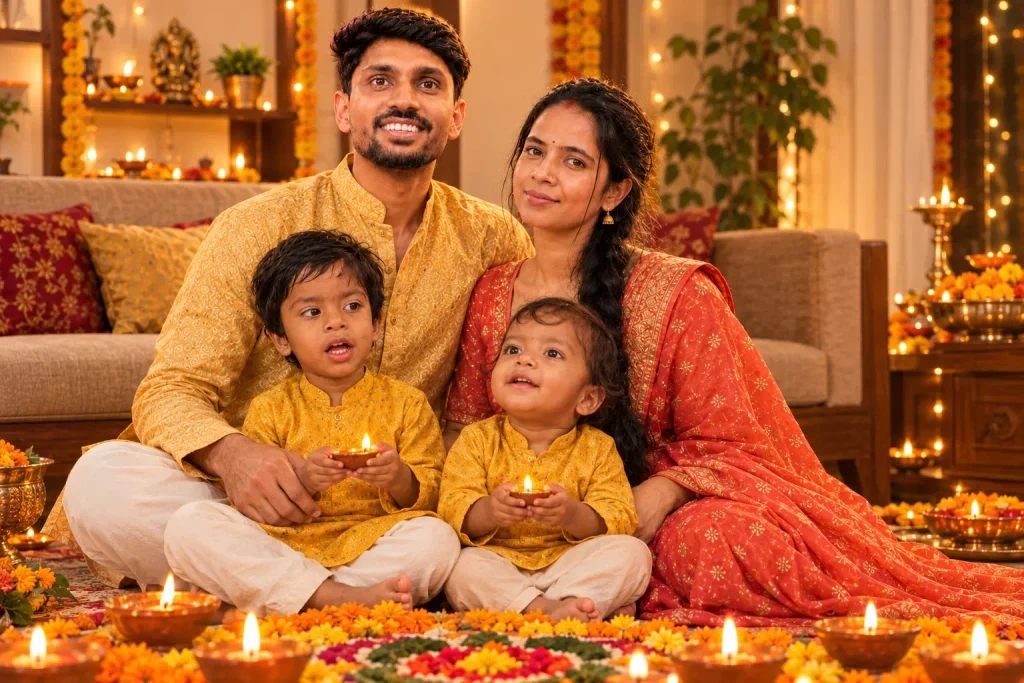
4. Diwali Family Photo
Use the uploaded family photo as the reference. Keep every person's face, age, hairstyle and skin tone exactly the same. Do not add or remove people.

Turn it into a festive Diwali family portrait in a living room decorated with diyas, marigold flowers and a rangoli. Everyone is in traditional clothes in warm colours. Parents sit in the middle, children in front, everyone smiling naturally.

Light: warm and soft, glowing diyas in the foreground.
Style: realistic family photograph, natural colours, no heavy filter, no text, no watermark.
Check that every person has correct hands and faces. 3:2 horizontal.
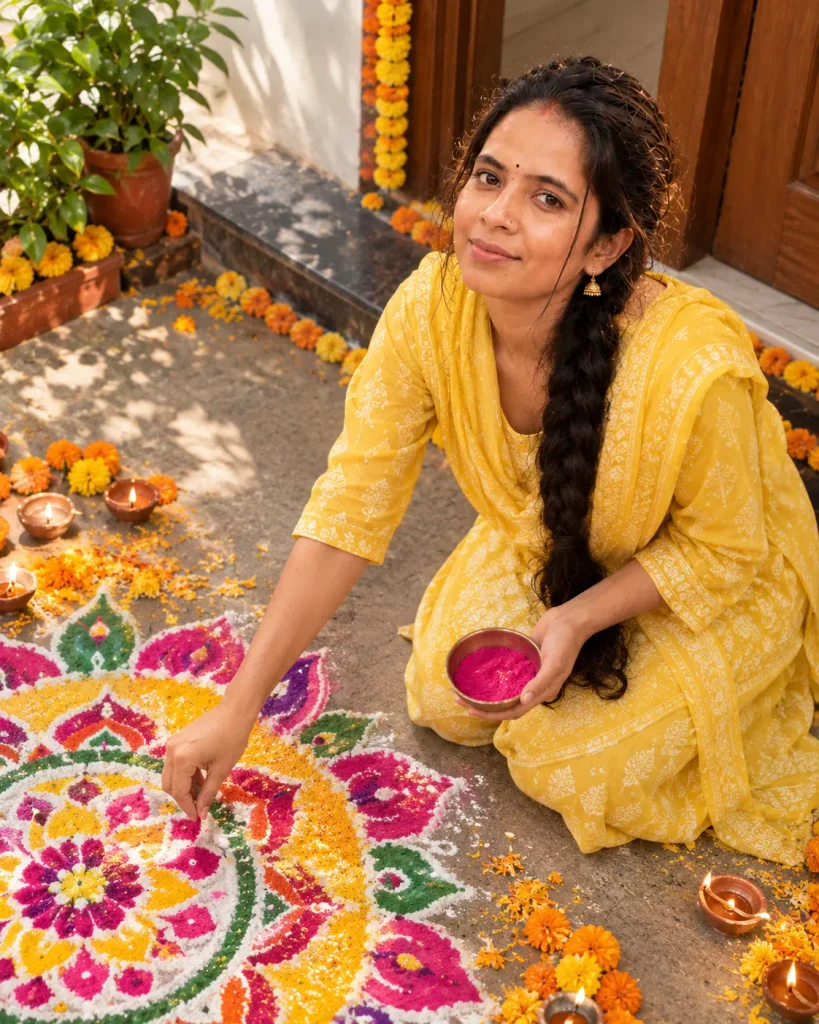
5. Rangoli Moment
Use the uploaded photo as the only face reference. Keep her face and hairstyle exactly the same.

Create a candid Diwali photo of her making a colourful rangoli at the entrance of a home in the morning. She is kneeling, dropping coloured powder with her fingers, with a small smile. She wears a simple cotton salwar suit in [yellow / pink].

Camera: top-down angle slightly from the side, natural daylight, soft shadows.
Details: marigold petals, diyas placed at the edges, intricate rangoli pattern.

Natural, candid, realistic skin texture, no text, no watermark. 4:5 vertical.
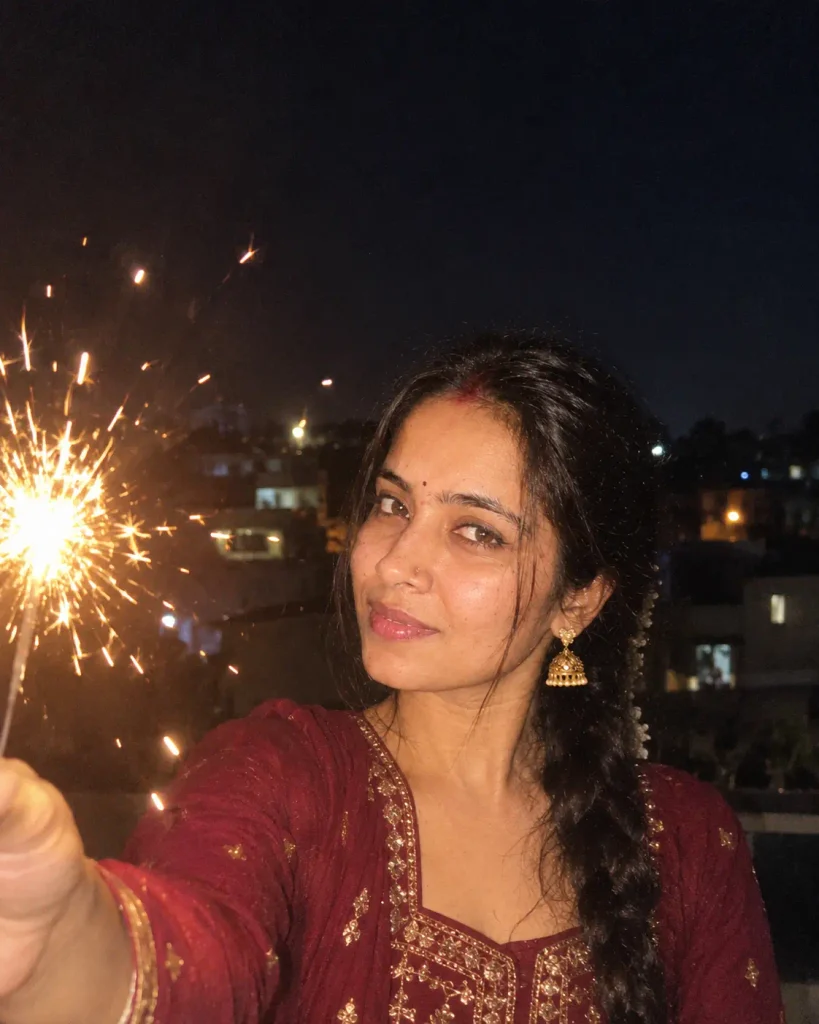
6. Sparkler Night Portrait
Use the uploaded photo as the only face reference. Keep the face exactly the same, with natural skin texture.

Create a night portrait of the person holding a lit sparkler at arm's length, with soft light glowing on the face and small sparks floating in the air. They wear a festive [colour] outfit.

Background: dark evening sky, blurred lights from nearby houses.
Camera: close-up, slight low angle, handheld phone look, mild grain.

No smoke covering the face, no text, no watermark, no distorted hands. 4:5 vertical.
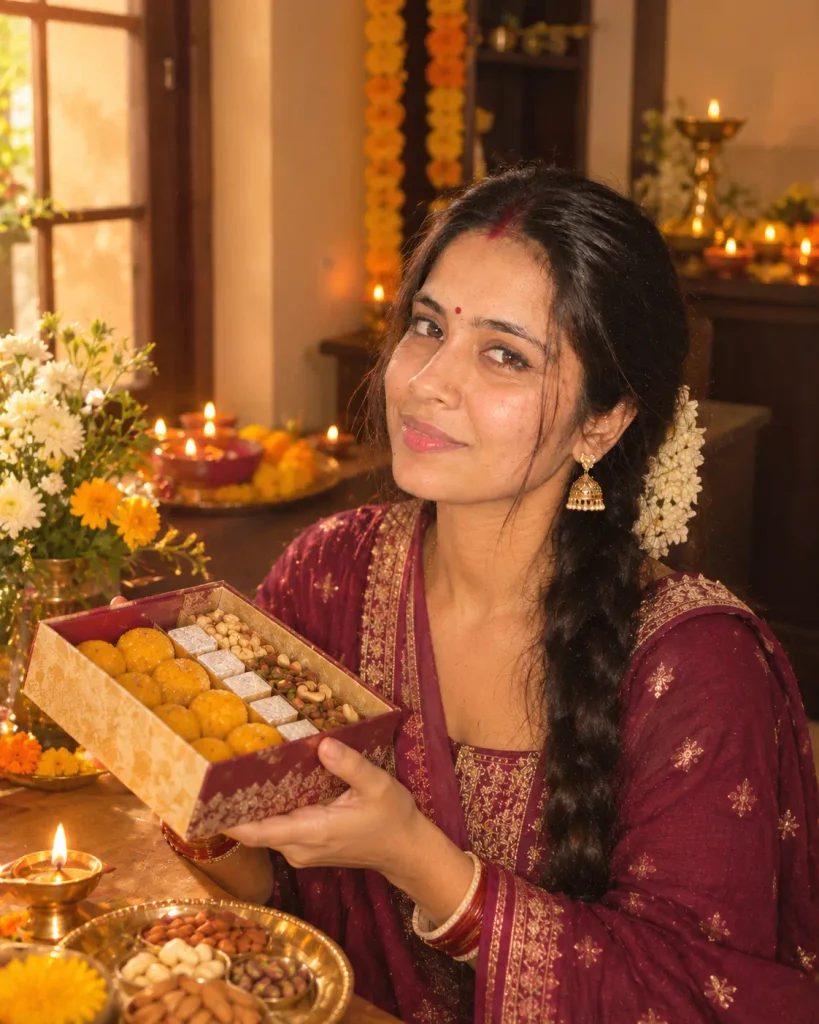
7. Diwali Sweets and Gifting Photo
Use the uploaded photo as the only face reference. Keep the face exactly the same.

Create a warm photo of the person holding a decorated gift box with sweets, sitting near a table with diyas, dry fruits and a small brass plate. They wear a traditional outfit in [colour] and smile softly at the camera.

Light: warm window light mixed with diya glow.
Details: a clean festive table, flowers, a few lit diyas in the background.

Realistic, natural, high detail, no text, no watermark. 4:5 vertical.
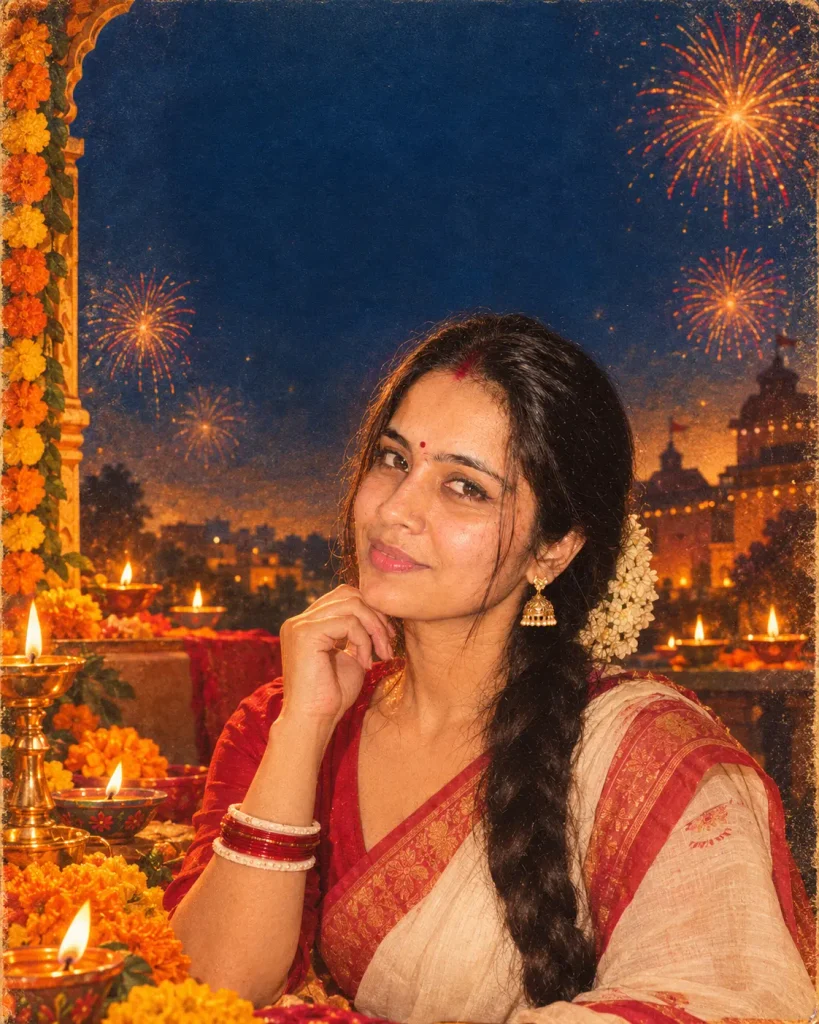
8. Retro Diwali Poster Style
A fun one for creators. It turns your photo into an illustrated, poster-style image.
Use the uploaded photo as the face reference. Keep the face recognisable.

Create a retro 1990s Indian festival poster style portrait of the person in a traditional outfit, surrounded by painted diyas, marigolds and fireworks in the sky. Warm orange, gold and deep blue colours, slightly textured paper look.

Leave space at the top for a short title. Do not add any text, logos or watermark in the image. 4:5 vertical.
How to Keep Your Face Natural in AI Photos
Say it clearly. Start every prompt with “Use the uploaded photo as the only face reference. Keep the face, hairstyle and skin tone exactly the same.” This single line reduces the risk of face changes.
Use one good reference. A sharp, evenly lit photo works better than several blurry ones.
Ask for natural texture. Lines like “visible skin texture, no plastic skin, no heavy filter” stop the over-smooth look.
Avoid too many changes at once. Changing the outfit, hairstyle, background, pose and lighting all together can drift the face. Keep the hairstyle from your photo.
Regenerate with small edits. If one detail is wrong, repeat the prompt with a short correction instead of rewriting everything.
Common Problems and Quick Fixes
Face looks different. Upload a clearer reference photo and repeat the “keep the face exactly the same” line at the end of the prompt too.
Extra or bent fingers. Add “natural hands, correct number of fingers” and choose a pose where the hands are simple, like holding a diya.
Skin looks plastic. Add “natural skin texture with visible pores, no smoothing.”
Diya flames look fake. Ask for “soft, small, realistic flames with warm glow” and avoid “huge fire.”
Clothes look messy. Name the garment clearly, like “plain silk saree with a gold border,” instead of a long fancy description.
The prompt is blocked. Remove anything about real celebrities, public figures or other people’s faces. Use only your own or consented photos.
Safety and Respect Tips
- Be careful with fireworks. These images are AI. Please do not copy dangerous poses like holding fireworks close to the face in real life.
- Do not edit other people’s photos without permission. This is especially important for friends, relatives and children.
- Keep religious imagery respectful. If you add deities or sacred symbols, keep the style dignified and do not use them for jokes or memes.
- Label AI content. Turn on the “AI info” label on social platforms where it is available.
Best Time to Post Your Diwali AI Photos
Many people post in the days before Diwali, on Dhanteras, Choti Diwali and Diwali day itself, and again for Bhai Dooj. Posting a day or two earlier often means your post is seen before the feed gets crowded. There is no fixed formula, so try one or two different days and see what works for your audience.
Frequently Asked Questions
Which AI tool is best for Diwali photo editing prompts?
Gemini and ChatGPT both work well with a reference photo. Try the same prompt in two tools and keep the better result.
Are these Diwali AI prompts free?
The prompts on this page are free to copy. Whether the AI tool is free depends on its current plan and daily limits, so check the app.
Can I use these prompts on my phone?
Yes. Open the AI app, upload your photo, paste the prompt and generate.
Why does my AI photo not look like me?
Usually the reference photo is unclear or the prompt asks for too many changes. Use a sharp, well-lit photo and keep the “keep the face exactly the same” line.
Can I use a group photo?
Yes, but results are best with up to 3–4 people and a clear photo. Use the family prompt and check each face in the result.
Can I change the outfit colour?
Yes. Replace the colour in the brackets with any colour you like.
Can I use these for Instagram and WhatsApp Status?
Yes. The prompts ask for a 4:5 or 3:2 shape. For Status you can crop to 9:16 afterwards.
Is it safe to upload my photo to an AI tool?
Read the privacy policy of the tool you use, avoid uploading sensitive photos, and never upload photos of others without permission.
Conclusion
A good Diwali AI photo does not need a long, complicated prompt. It needs a clear reference photo, a short line that protects your face, and a simple festive scene – diyas, warm light and a traditional outfit. Start with the diya portrait or the family prompt, generate a few versions, pick the most natural one and share it with a warm caption. Happy Diwali!
Disclaimer
Images created from these prompts are AI-generated and may differ from the real person or scene. Results depend on the tool and the reference photo. Use only your own photos or photos you have permission to use. All brand names belong to their respective owners.
Hashtags: #DiwaliAIPrompt #DiwaliAIPhoto #GeminiPrompt #AIPhotoEditing #HappyDiwali2026 #SumoPrompt