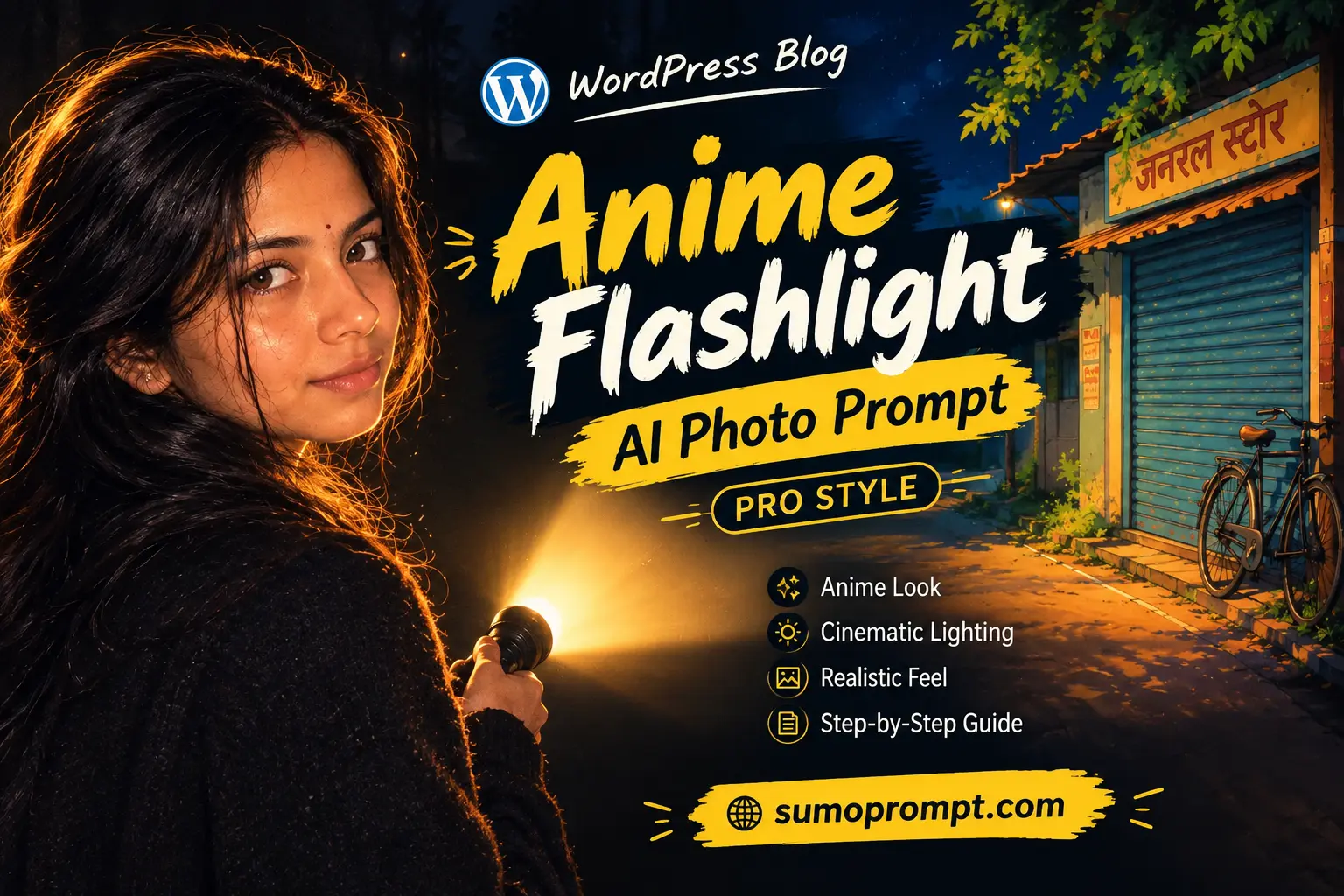
Anime Flashlight AI Photo Prompt 2026: The idea is simple and looks great on a feed. A dark room, one torch beam cutting through it, and inside that circle of light is you, but drawn as an anime character. Everything outside the beam stays real and dark. Inside it, the world turns into clean lines, glowing eyes and soft cel shading.
Getting it right is harder than it looks. Most prompts either turn the whole photo into a cartoon or give you an anime face that looks nothing like you. The five prompts below keep your real identity, control exactly where the anime effect appears, and work in both Gemini and ChatGPT with a single clear photo.
Copy Paste Prompt Below
1. The Torch Beam Anime Reveal
The original trend, and the best starting point. The real you holds the torch; the beam on the wall shows your anime self.
Edit the uploaded photo into a cinematic night scene.

IDENTITY: Use the uploaded photo as the only face reference. Keep the exact face, skin tone, hairstyle and natural skin texture of the real person. No smoothing, no beautification.

SCENE: The real person stands in a dark room, holding a small flashlight pointed at a plain wall beside them. Inside the circular beam of light on the wall, show an anime-style illustration of the SAME person: same hairstyle, same face shape, same outfit, drawn in clean Japanese anime style with sharp line art, big expressive eyes and soft cel shading. The anime version looks back at the real person with a slight smile.

LIGHT: The flashlight is the main light source. A strong, bright circle on the wall, soft spill light on the real person's face and hand, everything else in deep shadow.

CAMERA: 35mm, eye level, both the real person and the beam fully in frame.

FINISH: The real person stays photorealistic with visible skin texture. Only the area inside the beam is anime. Fine grain, realistic dust particles in the light. No text. 4:5 vertical.
2. Real vs Anime Side by Side
The most shared variant. The beam splits the frame in two, and the comparison does the work.
Edit the uploaded photo into a split real-and-anime portrait.

IDENTITY: Preserve the exact face, hairstyle and skin tone of the person from the uploaded reference.

SCENE: A dark background. A flashlight beam shines diagonally across the frame from the top left. The LEFT half of the person's face and body, outside the beam, stays photorealistic. The RIGHT half, inside the beam, transforms into a detailed anime illustration of the same person, with the same hair, same features and same clothes, in clean line art and cel shading. The transition along the beam edge is smooth, like light changing reality.

POSE: Facing the camera, calm and confident expression, looking straight into the lens.

LIGHT: A hard flashlight beam, sharp edge, deep shadows outside it.

CAMERA: 50mm close portrait, chest-up framing.

FINISH: Photorealistic half with natural skin pores; anime half with crisp lines and glowing eyes. No text. 4:5 vertical.
3. Flashlight Under the Chin, Manga Night Style
Moody and dramatic, the “horror-anime” version that works really well as a reel cover.
Transform the uploaded photo into a full anime-style night portrait.

IDENTITY: Keep the person's recognisable face shape, hairstyle, hair colour and features from the uploaded photo, translated faithfully into anime style. The person must still be clearly recognisable.

POSE: The person holds a flashlight just below their chin, pointing upward, lighting their face from below. A slight mysterious smile, eyes looking directly at the viewer.

LIGHT: Strong upward light from the flashlight, dramatic shadows above the eyebrows, the rest of the scene almost completely dark.

SET: A dark bedroom at night, with faint outlines of a window and curtains behind.

STYLE: Modern Japanese anime, detailed line art, high-contrast cel shading, a subtle glow around the flashlight, slight film grain.

FINISH: Cinematic anime frame, no text, no watermark. 9:16 vertical.
4. Phone Flashlight Mirror Selfie, Anime Version
This one suits Gen-Z feeds. A night mirror selfie with the phone flash on, redrawn as anime.
Transform the uploaded photo into an anime-style mirror selfie.

IDENTITY: Keep the person's exact hairstyle, face shape, skin tone and outfit from the uploaded photo, faithfully translated into anime style so they are clearly recognisable.

POSE: Standing in front of a bathroom mirror at night, holding a phone with the flashlight on, the phone partly covering the lower face but the eyes clearly visible.

LIGHT: A bright starburst flare from the phone flash in the mirror, soft light falling on the face and clothes, dark surroundings.

SET: A small mirror with a few stickers on its edge, a dim room behind.

STYLE: Clean modern anime, sharp line art, soft cel shading, a gentle bloom around the flash.

FINISH: Anime illustration quality, no text. 4:5 vertical.
5. Night Street Torch, Anime World Around You
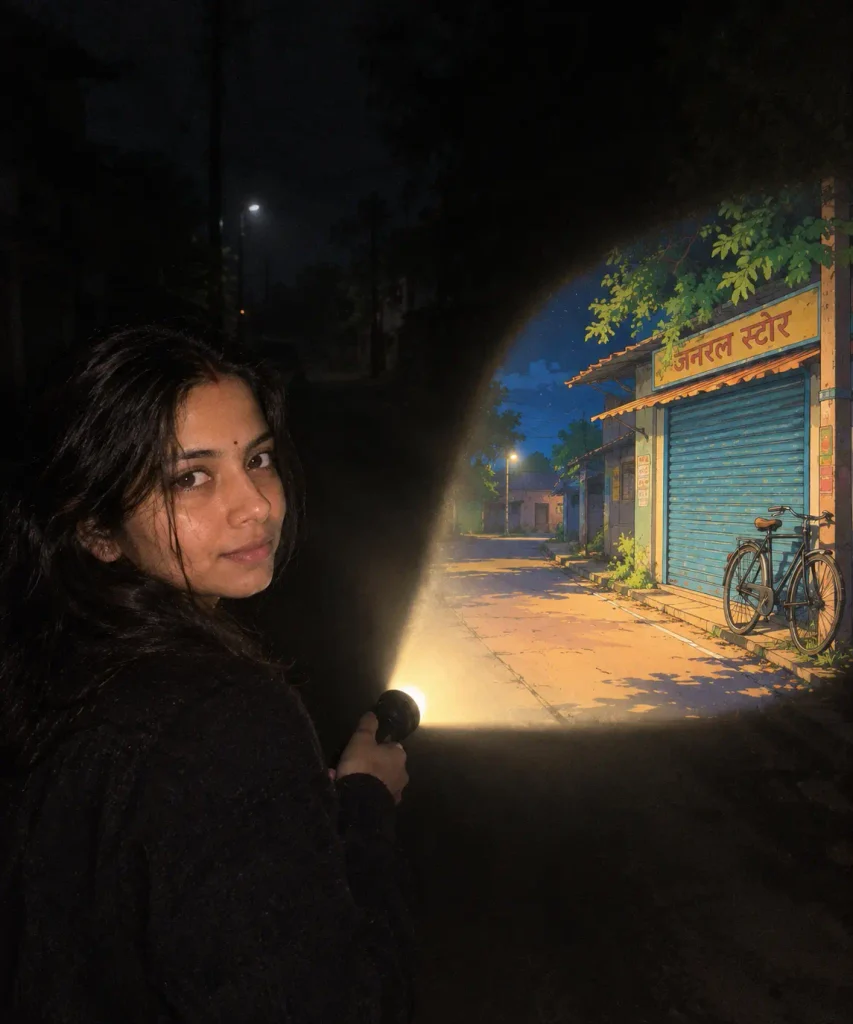
The real person stays real, and the world inside the light turns anime. It’s the most cinematic of the five.
Edit the uploaded photo into a cinematic night street scene.

IDENTITY: Keep the exact face, skin tone, hairstyle and natural texture of the person from the uploaded photo. The person stays fully photorealistic.

SCENE: The person walks down a dark, empty street at night holding a torch forward. Everything inside the torch beam ahead of them, such as the road, an old shop shutter and a parked bicycle, is drawn in vibrant anime style with clean lines and bright colours. Everything outside the beam stays realistic and dark.

LIGHT: The torch is the main light source, with a cone of light clearly visible in light mist.

CAMERA: 35mm, from slightly behind and to the side, with the person and the beam in frame.

FINISH: A realistic person and dark street, an anime world only inside the beam, fine grain. No text. 4:5 vertical.
Why the Anime Effect Spreads Over the Whole Photo
When a prompt says “anime style” anywhere, the AI tends to apply it to everything, including your real face. That’s why most attempts end up as a full cartoon instead of the real-plus-anime contrast that makes this trend look good.
The fix is to tell the AI exactly where the anime effect lives. Prompts 1, 2 and 5 say “only inside the beam” and “the real person stays photorealistic.” Prompts 3 and 4 are full anime by design, so they focus on keeping your features recognisable instead.
The second problem is likeness. Anime faces are simplified, with big eyes, a small nose and smooth skin, so the AI can easily lose what makes you look like you. Your hairstyle, hair colour and outfit are what carry your identity into the anime version, which is why every prompt asks for the same hair and the same clothes.
Choosing the Right Photo and Outfit
Use a clear, front-facing photo. Your face should be well lit, with no sunglasses, mask or heavy filters.
A distinctive hairstyle helps. Curly hair, a side part, a bun or long open hair all translate well into anime and make the drawn version instantly recognisable.
Wear solid colours. A black hoodie, a white shirt, a red jacket or a plain kurta. Busy prints become messy when redrawn as anime.
Skip caps and hats if possible. They hide the hairstyle, which is one of the strongest identity cues in anime.
When It Still Looks Wrong
The whole photo turned anime. Add: “Only the area inside the flashlight beam is anime. The real person and the room stay photorealistic.”
The anime version doesn’t look like you. Add: “The anime version must have the same hairstyle, hair colour, face shape and outfit as the uploaded photo.”
Your real face looks smoothed. Say it twice: “do not smooth the skin” and “keep visible pores and natural texture.”
The beam looks weak or flat. Add: “very bright flashlight beam with a sharp edge, deep darkness outside it, light visible in slight mist.”
Hands look strange around the torch. Add: “natural hand with five fingers holding a small flashlight.”
FAQ
Is this anime flashlight AI photo prompt free? Yes. All five prompts are free to copy and use.
Which AI tool works best? Gemini usually keeps your real face more accurate. ChatGPT often draws cleaner anime line art. For prompts 1, 2 and 5, try Gemini first. For 3 and 4, try ChatGPT.
Can I use a group photo? It works best with a single person. With groups, the AI often mixes up faces in the anime version.
Can I choose a specific anime look? You can describe a style, like “90s retro anime” or “soft pastel anime.” Avoid naming copyrighted characters, because the results are less reliable and less original.
Why does the result change every time? AI image tools never give the exact same output twice. Generate two or three times and keep the best one.
Conclusion
The anime flashlight trend works because of contrast: a dark, real world and one beam of light where you become an anime character. Tell the AI exactly where the anime effect belongs, keep your hairstyle and outfit as identity anchors, and make the flashlight the main light source. Start with the torch beam reveal, then try the split real-vs-anime portrait once you know your photo holds up.
#AnimeFlashlight #AnimeAIPhoto #AIPhotoPrompt #GeminiPrompt #ChatGPTPrompt #AnimeEdit #AIPhotoEditing #Trending2026