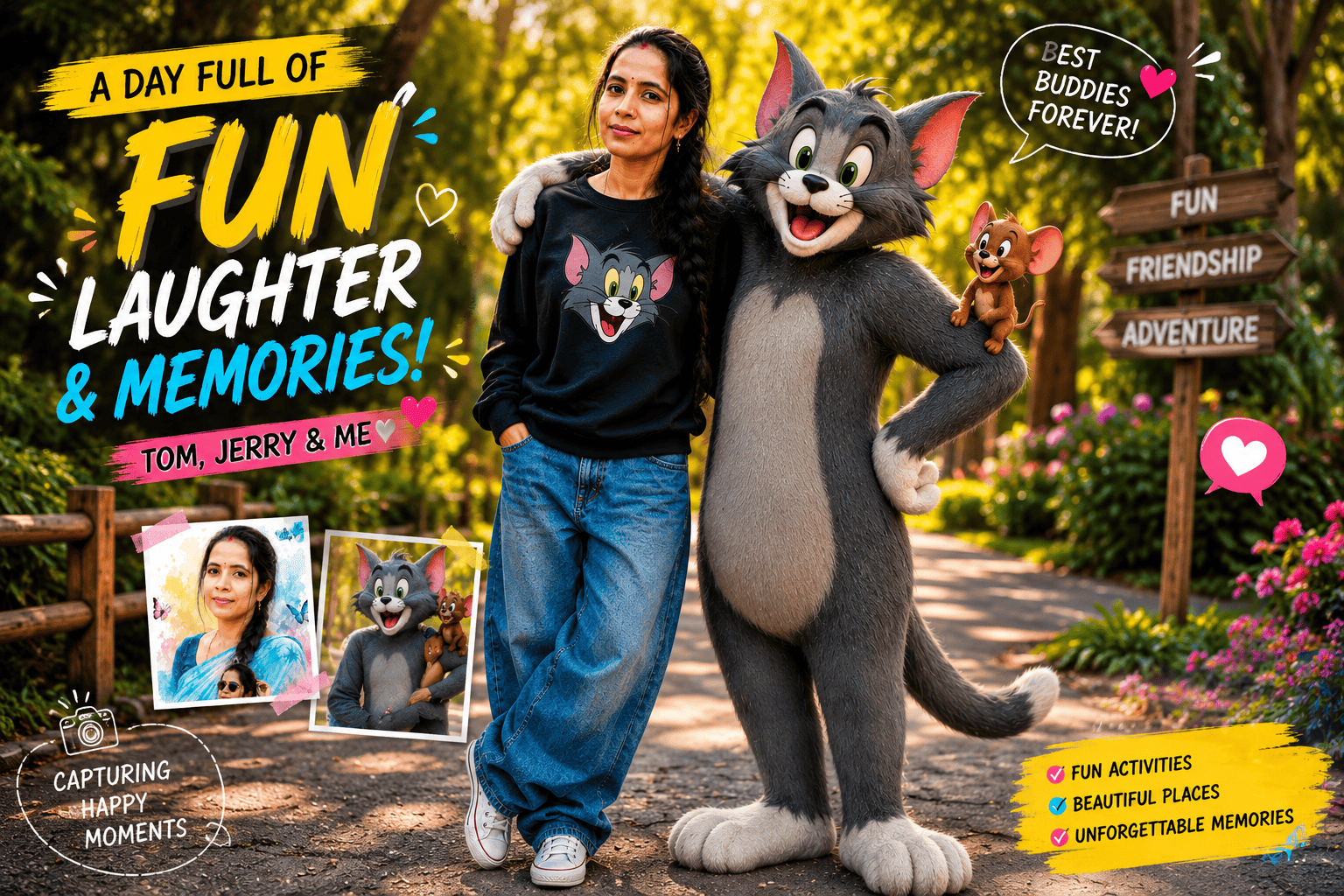
Remember growing up watching Tom chase Jerry around the house? That nostalgia just got a modern twist. All over Instagram right now, people are turning their selfies into photorealistic images where they’re standing right next to a life-size Tom cat, with tiny Jerry perched on his arm — and it looks incredibly real. This is the Tom and Jerry AI photo editing trend, one of the most shareable AI waves of 2026. On this page you’ll get copy-paste Tom and Jerry AI prompts for ChatGPT and Gemini, plus a genuine step-by-step guide to make your own — even if you’ve never touched an AI tool before.
Let’s get into it.
Why the Tom and Jerry AI Trend Is Going Viral
The magic here is nostalgia meets realism. Almost everyone grew up with this cartoon duo, so seeing yourself standing beside a real-looking Tom instantly hits an emotional chord — and emotional content gets shared. Add photorealistic fur, cinematic lighting, and your own real face preserved perfectly, and you get an image that’s fun, wholesome, and impossible to scroll past.
That’s why these edits are dominating Instagram, Facebook, WhatsApp Status, and YouTube Shorts. They’re perfect for profile pictures, reels, and just a playful post that stands out from the usual selfies.
What You Need Before You Start
You only need two things:
- An AI image tool — ChatGPT (with image generation), Google Gemini (Nano Banana), Midjourney, Leonardo AI, or Bing Image Creator all work.
- A clear, front-facing photo of yourself — this keeps your real face in the final image. A sharp, well-lit photo gives a far more realistic result.
No editing skills, no software, nothing to pay.
How to Use These Tom and Jerry AI Prompts (Step by Step)
The process takes about two minutes per image:
- Open your AI tool and start a new chat.
- Upload your clear front-facing photo so the AI can lock your face.
- Copy any prompt from below and paste it in.
- Generate and wait a few seconds for your image.
- Download it and post it as a reel, story, or profile picture.
Important: the detailed prompts below already include a strong “keep face 100% same” instruction and a negative prompt. Keep both — that combination is what stops the AI from changing your face into a stranger’s.
Best Tom and Jerry AI Photo Editing Prompts (Copy & Paste)
Each prompt gives a different result — from a quick cartoon style to an ultra-realistic full scene. Pick the one that matches the look you want.
1. Quick Cartoon Portrait Prompt
Best for: a fast, colourful animated-style profile picture.
Create an ultra-realistic cartoon-inspired portrait featuring a young person transformed into a playful, expressive animated character while preserving their recognizable facial identity and natural facial features.

Give the character large expressive eyes, a charming animated appearance, smooth realistic skin textures, detailed facial features, and a lively dynamic action pose. Surround the subject with a colorful, vibrant cartoon environment filled with visually rich details, playful elements, depth, and cinematic atmosphere.

Use vibrant cinematic lighting, soft highlights, realistic shadows, beautiful color contrast, smooth textures, cinematic depth of field, and premium animated movie-quality rendering. Blend high-end 3D character design with realistic photographic details for a polished, professional digital artwork.

Keep the facial identity recognizable and consistent, without unnecessary face reshaping or artificial beautification. Create an energetic, cheerful, fun, and Instagram-viral aesthetic with an immersive detailed background.

Ultra-detailed character design, realistic facial identity preservation, professional digital artwork, cinematic composition, premium animated movie quality, highly detailed environment, realistic textures, volumetric lighting, depth of field, 8K Ultra HD resolution.

Negative prompt: distorted face, changed identity, extra fingers, extra limbs, deformed eyes, blurry details, plastic skin, unnatural proportions, low quality, flat lighting, duplicate character, text, watermark, logo.
2. Animated City Chase Prompt
Best for: a dynamic action scene with movement and energy.
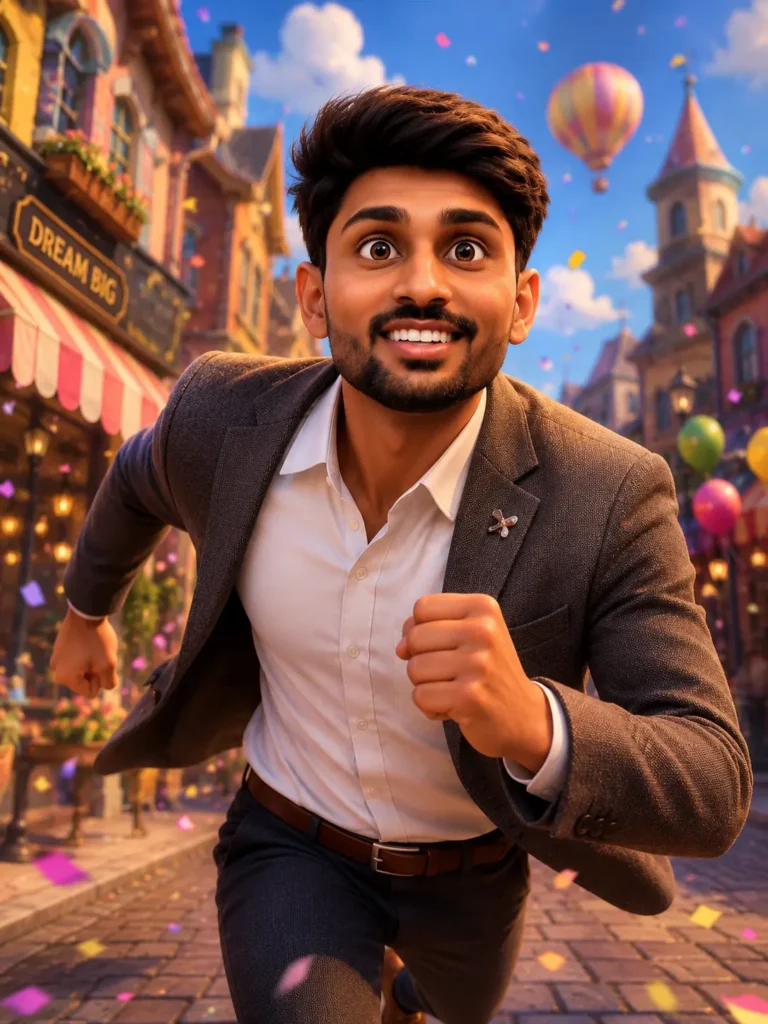
Create a cinematic cartoon scene featuring a young person running energetically through a colorful, imaginative animated city while playful cat-and-mouse-inspired characters interact around them.

Preserve the young person's recognizable facial identity and realistic facial features while seamlessly blending them into a premium animated character design. Show natural running motion, expressive body language, dynamic movement, and an energetic action pose.

Build a vibrant fantasy cartoon city with colorful buildings, playful streets, imaginative architecture, lively background details, and a cheerful animated atmosphere. Add playful cat-and-mouse-inspired characters running, jumping, chasing, and interacting naturally around the main subject without copying any specific copyrighted character design.

Use bright saturated colors, vibrant cinematic lighting, glowing highlights, realistic shadows, subtle motion effects, atmospheric depth, cinematic depth of field, and polished 3D animation-style rendering.

Premium animated movie quality, professional character design, realistic facial details, expressive eyes, detailed textures, dynamic composition, immersive environment, social-media-friendly framing, polished digital artwork, ultra-detailed background, cinematic storytelling, Ultra HD 8K resolution.

Negative prompt: distorted face, changed identity, deformed eyes, extra limbs, extra fingers, duplicate characters, bad anatomy, blurry details, flat lighting, low resolution, plastic-looking skin, messy background, copyrighted character recreation, text, watermark, logo.
3. Ultra-Realistic “Standing With Tom” Prompt (Most Popular)
Best for: the viral photorealistic look — you, Tom, and Jerry together. This is the one everyone wants.
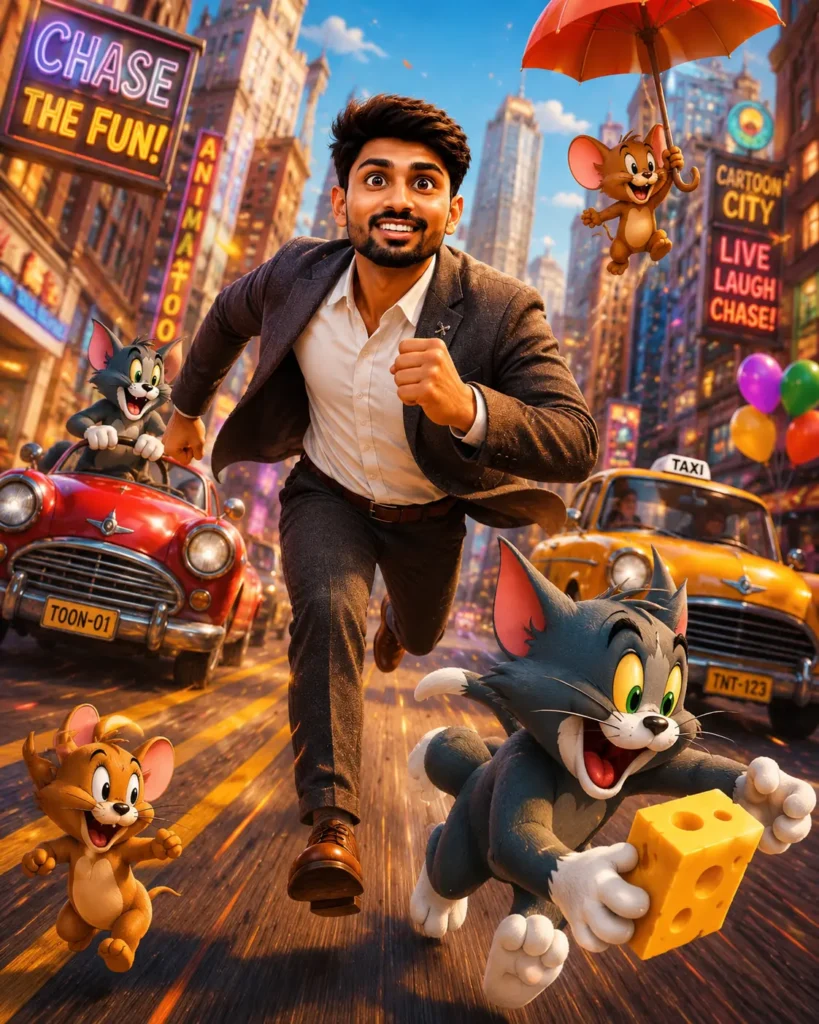
Create an ultra-realistic full-body portrait using the uploaded image as the ONLY facial identity reference.

Maintain maximum possible facial identity consistency with the uploaded reference. Preserve the original face shape, jawline, hairstyle, hairline, eyebrows, eyes, nose, lips, beard details if present, natural skin texture, facial proportions, expression, and overall recognizable identity. Do not beautify, reshape, smooth, or unnecessarily stylize the face.

A cheerful young person with the same recognizable face stands confidently in a relaxed, stylish pose, smiling naturally toward the camera. The subject wears a cozy light-grey sweater featuring a colorful Tom Cat graphic print, oversized baggy blue denim jeans, and classic white Converse-style sneakers.

Standing naturally beside the subject is a life-size anthropomorphic Tom Cat inspired by the classic Tom and Jerry aesthetic, rendered in a highly realistic cartoon-to-real-world style. Tom has soft grey fur, a white belly, large expressive green eyes, pink inner ears, expressive eyebrows, and a playful friendly grin. Tom stands beside the subject like a close friend, with one arm resting casually near the person.

Tiny Jerry Mouse sits happily on Tom's other arm, looking excited and cheerful, with classic mouse-like features, realistic soft fur textures, expressive eyes, and a playful personality.

Scene details:
- Full-body composition with both the subject and characters completely visible
- Natural outdoor lighting
- Warm, cheerful atmosphere
- Realistic shadows and subtle reflections
- Soft cinematic depth of field
- Authentic friendly interaction between the subject, Tom, and Jerry
- Clean, uncluttered background
- Family-friendly wholesome mood

Photography style:
- Ultra-realistic DSLR photography
- Cinematic color grading
- Professional portrait photography
- Shallow depth of field
- Natural skin pores and facial texture
- Detailed clothing fabric and stitching
- Realistic fur rendering
- High-end editorial quality
- Sharp focus on the subject and characters

Premium lighting, realistic proportions, natural body posture, photorealistic environment, cinematic composition, Instagram-worthy aesthetic, professional photography finish, hyper-detailed textures, 8K Ultra HD quality.

Aspect Ratio: 4:5

Negative prompt:
face distortion, identity change, altered facial features, hairstyle change, changed hairline, beauty filter, excessive skin smoothing, plastic skin, cartoon human face, unrealistic facial proportions, blurry details, bad anatomy, extra limbs, extra fingers, duplicate characters, distorted Tom or Jerry, low quality, oversaturated colors, unrealistic fur, CGI-looking human face, cropped body, watermark, text overlays, logo.
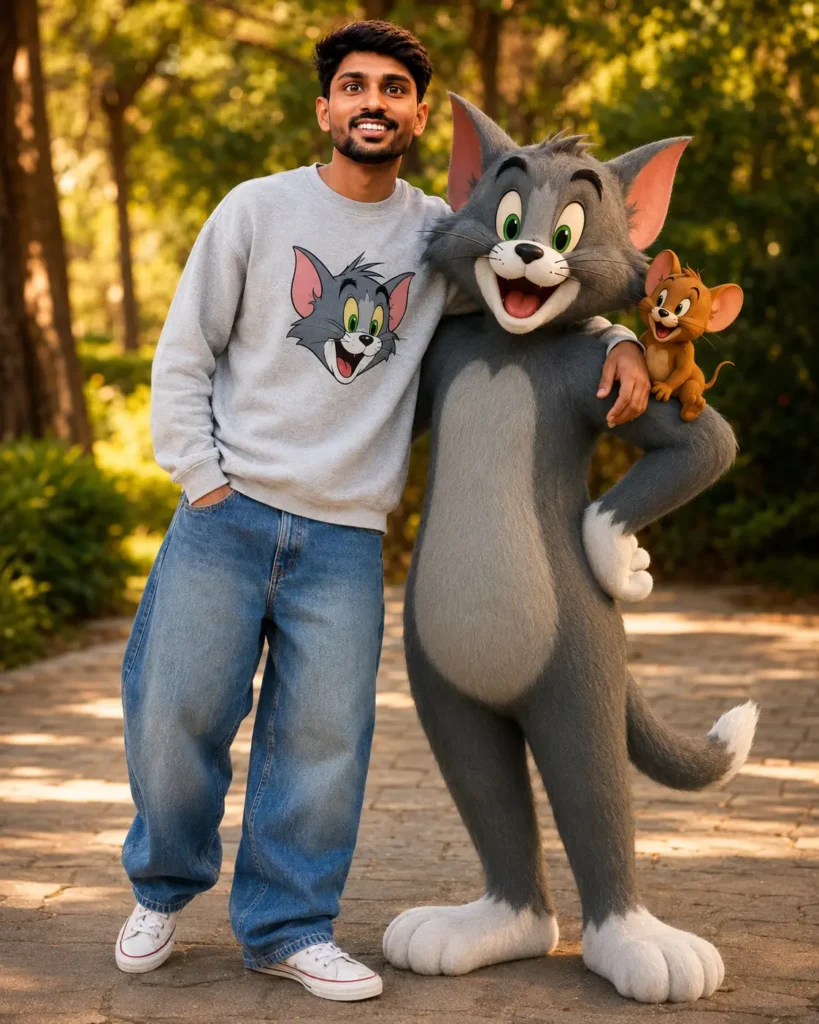
Prompt 3: google gemini tom and jerry ai photo editing prompts 2026
Create an ultra-realistic full-body portrait using the uploaded image as the ONLY facial identity reference.

Maintain maximum possible facial identity consistency with the uploaded reference. Preserve the original face shape, jawline, hairstyle, hairline, eyebrows, eyes, nose, lips, beard details if present, natural skin texture, facial proportions, expression, and overall recognizable identity exactly as shown. Do not beautify, reshape, smooth, stylize, or alter facial features. Keep the person's appearance natural and consistent with the reference.

A cheerful young person with the same recognizable face stands confidently in a relaxed, stylish pose, smiling naturally toward the camera. The subject wears a cozy light-grey sweater featuring a colorful Tom Cat graphic print, oversized baggy blue denim jeans, and classic white Converse-style sneakers.

Standing beside the subject is a life-size anthropomorphic Tom Cat from the classic Tom and Jerry universe, rendered in a highly realistic cartoon-to-real-world style while maintaining his recognizable appearance: soft grey fur, white belly, large expressive green eyes, pink inner ears, expressive eyebrows, and a playful friendly grin. Tom stands naturally beside the subject like a close friend, with one arm resting casually near the person.

Tiny Jerry Mouse sits happily on Tom's other arm, looking excited and cheerful, with his classic appearance, realistic fur textures, expressive eyes, and playful personality.

Scene details:
- Full-body composition
- Natural outdoor lighting
- Warm cheerful atmosphere
- Realistic shadows and reflections
- Soft cinematic depth of field
- Authentic friendly interaction between the subject, Tom, and Jerry
- Clean, uncluttered background
- Family-friendly wholesome mood

Photography style:
- Ultra-realistic DSLR photography
- Cinematic color grading
- Professional portrait photography
- Shallow depth of field
- Realistic skin pores and facial texture
- Detailed clothing fabric and stitching
- High-end editorial quality
- Sharp focus on the subject and characters
- Natural proportions and realistic posture

Quality:
8K Ultra HD, hyper-detailed photorealism, realistic fur rendering, premium cinematic lighting, professional photography finish, highly detailed textures, natural colors, Instagram-worthy portrait, polished editorial aesthetic.

Aspect Ratio: 4:5

Negative Prompt:
face distortion, identity change, altered facial features, hairstyle change, hairline change, beauty filter, excessive skin smoothing, plastic skin, cartoon human face, blurry details, bad anatomy, extra limbs, extra fingers, duplicate characters, distorted Tom, distorted Jerry, low quality, oversaturated colors, unrealistic proportions, CGI-looking human face, unrealistic fur, cropped body, watermark, text overlays, logo.
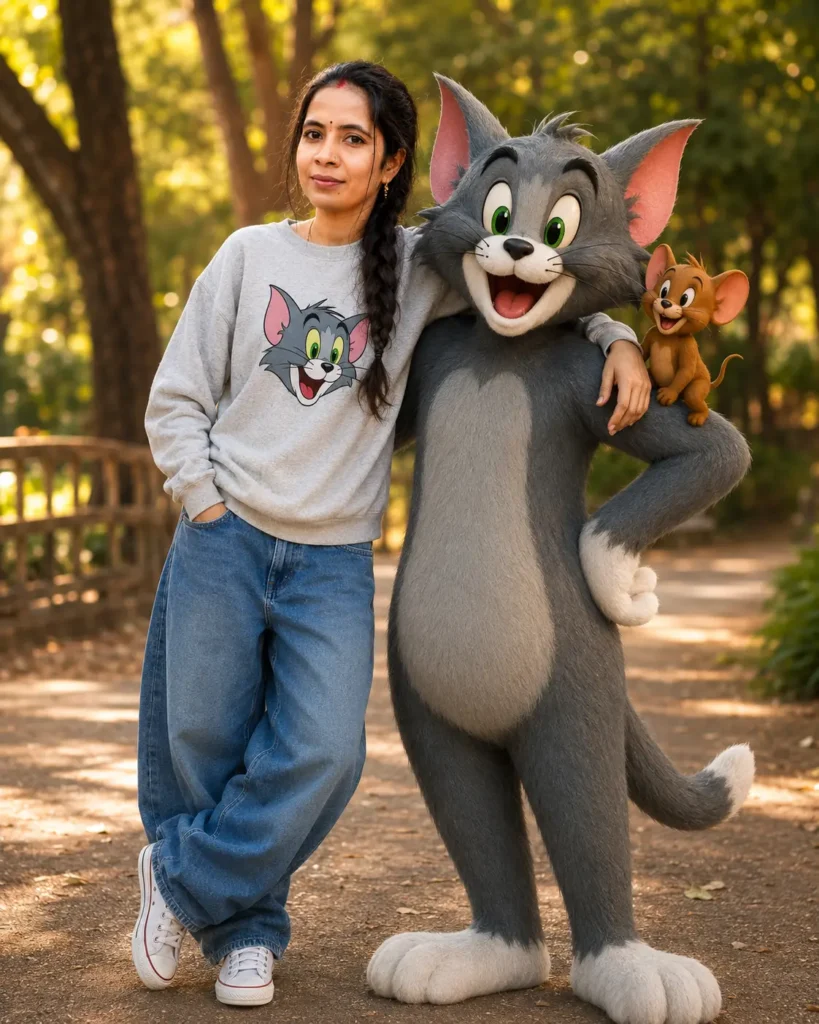
4. Gemini Fashion Portrait Prompt (for Girls)
Best for: a stylish editorial look with soft fashion styling.
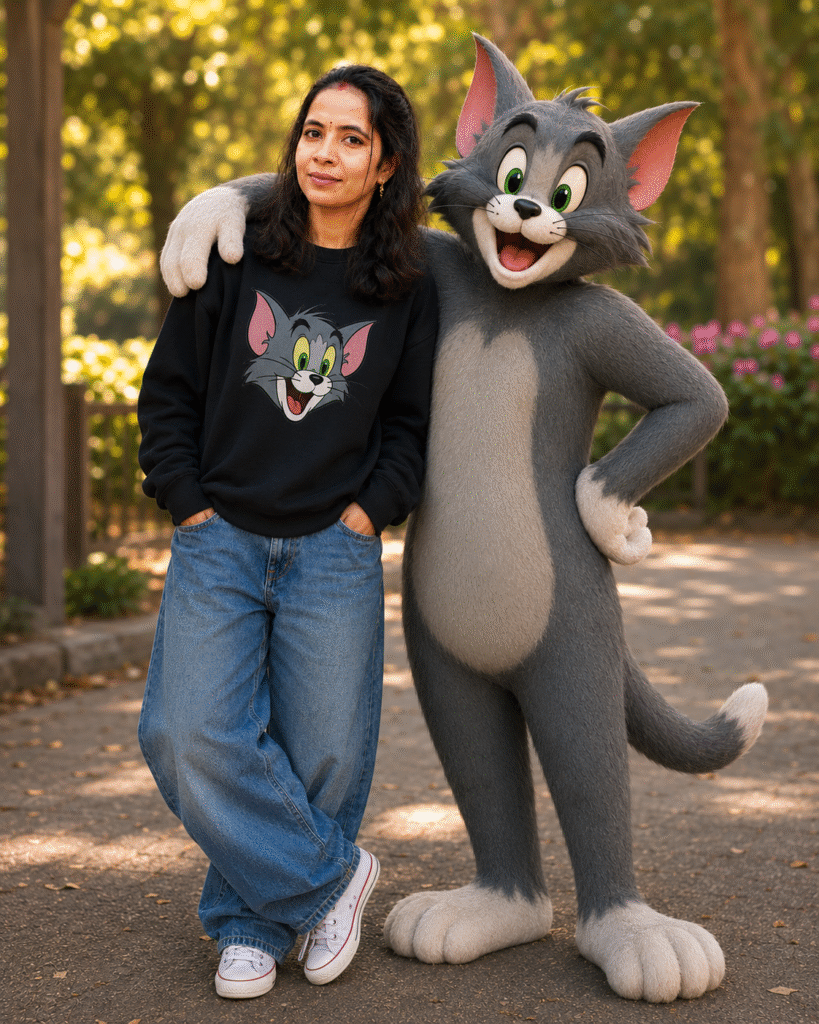
Tips to Make Your Tom and Jerry AI Photo Look Realistic
- Use a sharp, front-facing photo — the clearer the reference, the better the face match and fur realism.
- Never remove the face-lock line or negative prompt — together they stop the AI from beautifying or changing your features.
- Keep the aspect ratio at 4:5 for Instagram posts, or 9:16 for reels and status.
- Regenerate 2–3 times — if Tom’s proportions or your face look slightly off, the next generation is usually better; pick the best.
- Don’t over-filter afterwards — these prompts are already tuned; heavy edits flatten the realistic detail.
Frequently Asked Questions
What are Tom and Jerry AI photo editing prompts?
They’re detailed text instructions you paste into an AI image generator to turn your photo into a realistic or cartoon scene featuring Tom and Jerry, while keeping your real face.
Which AI tools work best for these prompts?
ChatGPT, Google Gemini, Midjourney, Leonardo AI, Bing Image Creator, and Ideogram all work. ChatGPT and Gemini are the easiest for beginners.
How do I keep my real face in the image?
Upload a clear front-facing photo and use the “maintain 100% exact face matching” line plus the negative prompt included above.
Are these prompts free?
Yes — just copy, paste, upload your photo, and generate. No payment needed.
Can I use these edits on Instagram, Reels, and Status?
Absolutely — they’re built for Instagram posts, Reels, YouTube Shorts, and WhatsApp Status.
Why does my result look less realistic than others?
Usually the reference photo is blurry or poorly lit. Use a sharp, well-lit photo and keep all the “8K, DSLR, realistic” detail words in the prompt.
Final Thoughts
The Tom and Jerry AI photo editing trend works because it blends childhood nostalgia with jaw-dropping realism — and now you have the exact prompts to join it. Upload a clear photo, paste your favourite prompt, keep the face-lock and negative prompt intact, and in minutes you’ll have a wholesome, share-worthy image that stops the scroll. Save this page and check back often — fresh viral AI prompts are added every week.
Also read: Underwater Prompt for ChatGPT: Viral Underwater AI Photo Editing Prompts 2026